Keep Raw Transcripts Rerunnable: Chat Transcript Analysis For Teams
Practitioner LLM pipeline to clean, chunk, and analyze chat transcripts. Preserve timestamps, keep raw logs separate, and rerun models.

Chat transcript analysis converts raw conversation logs into sentiment labels, topic clusters, summaries, and quality assurance flags. The standard method runs on a four stage pipeline: ingest the transcripts, process them (clean, chunk, run sentiment and topic extraction), store raw and derived data separately, then visualize results in dashboards teams actually check.
TL;DR:
- Most systems must store raw transcripts separately from analysis results to ensure accurate reprocessing and model upgrades over time.
- Preprocessing requires converting caption formats to clean text, removing non-speech artifacts, and chunking transcripts based on time or sentence boundaries.
- Sentiment analysis provides both segment-level and conversation-level scores, with timestamp pairing essential for pinpointing conversation shifts.
- Privacy regulations necessitate minimizing data retention, controlling access to raw transcripts, and verifying third-party data processing to protect personal information.
- Combining automated correction with targeted human review improves transcript accuracy, especially for nuanced expressions or jargon.
Table of Contents
- What Is the Full Pipeline for Chat Transcript Analysis?
- How Do You Prepare Transcripts Before Sending Them to a Model?
- Which Analysis Method Fits Sentiment, Topics, or Summaries?
- What Tools and Integration Patterns Should You Use?
- Can a Website Chat Assistant Supply Analysis-Ready Logs?
- What Privacy Rules Apply to Chat Transcript Analysis?
- Should Transcript Corrections Be Automated or Manual?
- How Does This Data Feed Business Intelligence Platforms?
- Practical Advice for Rolling This Out on a Team
- Where Konvuno Fits in the Capture Layer
- Sources
- FAQ
What Is the Full Pipeline for Chat Transcript Analysis?
Every production grade transcript analysis system follows a version of the same architecture: ingest, process, store, visualize. Skip a stage, or blur the line between raw and derived data, and you end up with a system nobody trusts by month three.
Here’s how each stage actually works:
- Ingest. Pull transcripts from wherever they live: WebVTT caption files, chat exports in JSON, CSV dumps from a support platform, or API webhooks firing in real time. Capture metadata at this point, not later: session ID, channel, timestamp range, participant roles, and any tags the source system already applies.
- Process. This is where the actual analysis happens. Clean the text, run diarization if speaker separation is not already labeled, chunk the transcript into manageable pieces, then send those chunks to an LLM or a dedicated model for sentiment scoring, topic extraction, and summarization. Microsoft’s reference architecture for analyzing agent conversation transcripts frames this stage explicitly as AI-powered extraction sitting between ingestion and storage.
- Store. Keep raw transcripts and metadata in one place and derived analytics (sentiment scores, topic labels, summaries) in another. This separation is the single most overlooked design decision in transcript analysis, and it’s the one that determines whether you can fix a bad model run six months from now or have to start over.
- Visualize. Push processed outputs into dashboards that flag trends, not just display them. The same Microsoft architecture recommends structured storage feeding directly into reporting tools like Power BI, so supervisors see sentiment drift or topic spikes without querying raw logs by hand.
The mistake most teams make is collapsing stages two and three. They run sentiment analysis and immediately overwrite the source transcript with the labeled version. Then a better sentiment model ships, and there’s nothing left to re-analyze. Build the pipeline so each stage can rerun independently, and the system gets more valuable every time you upgrade a model instead of locking you into whatever you shipped first.
How Do You Prepare Transcripts Before Sending Them to a Model?
Raw transcripts are rarely fit to send straight to an LLM. WebVTT files carry cue numbers, timing codes, and formatting tags that waste tokens and confuse sentiment models trained on natural prose. The fix is a cleaning pass that strips structural noise while preserving the metadata you’ll need later for playback correlation and audit trails.
The core preprocessing steps, in order:
- Convert WebVTT or other caption formats to plain text, but extract the timestamp and speaker data into a separate metadata object before you discard the original markup.
- Strip headers, cue identifiers, sound-effect tags, and other non-speech artifacts. None of that helps a sentiment or topic model, and it costs tokens.
- Chunk the transcript using time-based windows. Cohere’s guidance on chunking strategies recommends splitting by time, sentence count, or token length, generally in the 30 to 60 second range for spoken content, while keeping sentence boundaries intact and chunk order preserved.
- Attach a session ID, chunk index, and start/end timestamp to every chunk. This is what lets you trace a “customer got angry” flag back to the exact 12 seconds of a call.
- Watch chunk boundaries against natural speaker turns. Cutting mid sentence to hit an arbitrary time window degrades sentiment accuracy more than the time savings are worth.
UserTesting’s developer documentation on video transcript analysis walks through exactly this pattern: convert, chunk, then send to an LLM for summarization, theme clustering, and sentiment extraction, with timestamps carried through the entire process rather than baked into the prompt text itself.
Three mistakes show up constantly in early pipelines. Teams send serialized JSON objects straight into a prompt instead of clean text, which burns tokens on brackets and quotation marks the model doesn’t need. They embed timestamps directly in the text sent to the model, which confuses sentiment scoring because the model tries to interpret “00:14:32” as content. And they blow past token limits on long calls, forcing truncation that silently drops the back half of a conversation.
Pro Tip: Run a token count on your longest transcripts before building the pipeline, not after. A single 45 minute support call can easily exceed 8,000 tokens once you include speaker labels and formatting, which is exactly the threshold where you should switch to selective chunk sending instead of full-transcript prompts.
Which Analysis Method Fits Sentiment, Topics, or Summaries?
Sentiment, topic modeling, and summarization solve different problems, and conflating them is how teams end up with dashboards nobody reads. Pick the method based on the question you’re actually asking.
Sentiment analysis works at two levels. Segment-level sentiment scores each chunk independently, which is what you need to spot the exact moment a conversation turned. Conversation-level sentiment gives you one aggregate score, useful for trend reporting but useless for root-cause work. AssemblyAI’s sentiment analysis documentation shows the pattern clearly: outputs return per-sentence text, start and end timestamps, a sentiment label, a confidence score, and speaker identification when diarization is enabled. That timestamp pairing is what turns a sentiment score into a turning-point annotation you can actually act on.
Topic modeling splits into two camps. LDA (Latent Dirichlet Allocation) produces interpretable topic clusters from word distributions and has a long research track record; ACM-published research on automated chat transcript analysis demonstrates LDA extracting recurring themes from chat corpora at a scale manual coding can’t match. Embeddings plus clustering is the modern alternative for semantic grouping: convert each chunk to a vector, cluster similar vectors, then use an LLM to auto-label each cluster with a human-readable topic name. Follow with human review on a sample, since auto-labeling drifts on ambiguous clusters.
Summarization comes in two flavors. Abstractive summaries, generated by an LLM, read naturally but risk paraphrasing details inaccurately. Extractive summaries pull verbatim key sentences, which sacrifices readability for traceability. Deepgram’s Audio Intelligence documentation returns both summarization and topic detection as structured JSON with per-segment confidence scores, a useful pattern for anyone building evaluation into the pipeline from day one.
For evaluation, three checks matter most:
- Sample 5 to 10% of automated sentiment labels for human review and track agreement rate against your own judgment.
- Check topic precision by reading five transcripts per cluster and confirming the auto-generated label actually describes them.
- Log confidence scores on every output and set a threshold below which a human reviews before the result reaches a dashboard.
What Tools and Integration Patterns Should You Use?
Four categories of tooling cover most transcript analysis needs, and picking the right combination depends on privacy requirements and conversation volume more than feature checklists.
Transcription APIs with built-in timestamps and speaker diarization are your ingestion layer if you’re working from audio rather than existing text chats. Sentiment and topic engines handle the processing stage, whether that’s a dedicated API or an LLM prompted for structured output. Embedding providers turn text into vectors for the clustering workflow. Orchestration tools chain these steps together and handle retries when a call to an LLM times out mid-batch.
The hosted versus local decision usually comes down to two factors:
- Privacy and compliance requirements often push regulated industries toward self-hosted or on-premises models, even at higher operational cost.
- Latency needs matter for real-time dashboards; hosted APIs typically win on speed unless you’re running high volume batches overnight.
Cost control matters more than most teams plan for upfront. Chunking strategy directly affects your LLM bill. Sending every chunk of every transcript to a large model gets expensive fast once volume climbs past a few thousand conversations a month. A cheaper filter pass, flagging chunks with unusual sentiment swings or specific keywords, then routing only those “interesting” segments to a more expensive model for deep analysis, cuts spend without losing signal on the conversations that actually matter.
On security, keep raw transcripts and derived analytics under separate access controls. Support agents might need to see raw chat logs to resolve a ticket; only a smaller analytics team usually needs the aggregated sentiment trends. Set retention policies for each store independently, since compliance requirements often differ between the two.
Can a Website Chat Assistant Supply Analysis-Ready Logs?
Capturing conversations at the source, through the tool visitors actually chat with, solves a problem that downstream analysis can’t fix: incomplete or unstructured logs. A website assistant that logs every exchange with session continuity and consistent metadata gives you a clean starting point instead of a scraping job.
Some website chat assistants install through a single script tag and sync product catalog data automatically from e-commerce platforms or product feeds, so conversation logs can tie back to product questions or lead capture events, not just raw text. A dashboard may separate conversations, captured leads, and analytics on visitor questions, which maps directly onto the ingest and storage split described earlier.
When exporting from any site assistant into a broader analysis pipeline, insist on timestamps, speaker roles (visitor versus assistant versus human handoff), and session IDs in the export. A website assistant is the right capture point for e-commerce Q&A and lead qualification chats. Call center recordings or user research sessions still need their own dedicated transcription step.
What Privacy Rules Apply to Chat Transcript Analysis?
Chat transcripts routinely contain personal data: names, emails, order numbers, sometimes payment details typed by mistake. That makes transcript analysis a data processing activity subject to whatever privacy framework governs your users, whether that’s the GDPR for EU or EEA residents, the CCPA for California residents, or a sector-specific rule like HIPAA if health information ever enters a chat.
Two practical rules keep most pipelines defensible. First, minimize what you retain. If a sentiment score doesn’t need the customer’s account number, strip it before storage rather than after. Second, document your retention period and actually enforce it. A pipeline that stores raw transcripts indefinitely because deleting them felt optional is a liability the moment a deletion request or an audit lands on your desk.
Access control matters as much as retention. Raw transcripts, which contain the most identifiable information, should sit behind tighter permissions than the aggregated sentiment dashboards derived from them. A support manager reviewing weekly trend reports doesn’t need the same access as a compliance officer investigating a specific complaint.

If you’re using a third-party API for sentiment analysis, topic detection, or transcription, check where that vendor processes and stores data, and for how long. Sending customer conversations to a hosted model means that vendor now holds a copy of your transcripts, subject to whatever data processing agreement you have in place. For anything regulated (health, finance, legal), a self-hosted or on-premises model is often the safer default even when it costs more to run.
None of this is legal advice specific to your jurisdiction. Consult counsel familiar with your users’ locations before finalizing a retention and processing policy.
Should Transcript Corrections Be Automated or Manual?
Automated correction catches the errors that follow predictable patterns: mangled speaker attribution when two people talk over each other, obvious transcription errors on common words, and formatting inconsistencies between different capture sources. Rule-based cleanup and a second-pass model check handle these fast and cheap, at volume no human team could match.
Manual review earns its cost on the errors automation misses: sarcasm read as literal sentiment, industry jargon transcribed as nonsense, or a customer’s frustration building gradually across a conversation rather than spiking in one obvious line. These are exactly the cases where an automated sentiment score and a human reading the same transcript disagree.
The practical answer is a hybrid, not a choice between the two. Run automated correction and analysis on everything, since it’s cheap and catches the bulk of issues. Then route a sample, and every low-confidence result, to human review. AssemblyAI’s sentiment output format, which returns a confidence score alongside each label, gives you a natural threshold: anything under your chosen confidence cutoff goes to a person before it reaches a report.
Quality assurance on the pipeline itself matters as much as QA on individual transcripts. Track how often human reviewers overturn automated labels over time. A rising override rate usually means either your model needs retraining or your chunking strategy is cutting conversations at the wrong boundaries. Treat that override rate as a pipeline health metric, not just a per-conversation quality check, and review it monthly rather than only when someone complains.
How Does This Data Feed Business Intelligence Platforms?
Transcript analysis only pays off when its output reaches the people making decisions, and that usually means feeding a business intelligence platform rather than a standalone dashboard nobody outside the analytics team opens. Sentiment trends, topic frequency, and summary themes become far more useful sitting next to revenue, churn, and support ticket volume than isolated in their own tool.
The technical pattern is straightforward once storage is separated correctly. Derived analytics (the sentiment scores, topic labels, cluster assignments) should already live in a structured database, which makes exporting to a BI tool a matter of a scheduled query rather than a custom integration project. Microsoft’s architecture guidance for conversation transcript analysis points specifically toward structured storage feeding tools like Power BI for this exact reason: dashboards work best when they’re pulling clean, pre-aggregated data rather than parsing raw text on the fly.
A few integration choices determine whether this actually gets used. Refresh frequency matters: sentiment trends that update daily catch problems faster than a weekly batch job, but daily refreshes cost more in compute. Granularity matters too. A BI dashboard showing “customer sentiment: 72% positive” tells a manager almost nothing; one that breaks sentiment down by product category, support channel, and week over week trend gives them something to act on.
The last piece is alerting, not just reporting. A dashboard someone has to remember to check is far less useful than a threshold-based alert that fires when negative sentiment on a specific topic spikes above baseline. Build that alert logic once, at the BI layer, and the transcript pipeline underneath becomes something the whole company benefits from instead of a report the analytics team generates and files away.
Practical Advice for Rolling This Out on a Team
Start with one or two high-value channels, not everything at once. Pick the conversation type where a sentiment or topic signal would change a real decision, run it for a month, and measure whether it actually shifted behavior before expanding.
Track KPIs that tie directly to outcomes: escalation rate after negative sentiment flags, time-to-resolution by topic cluster, or lead conversion by conversation theme. Assign clear ownership between the person maintaining the pipeline and the person interpreting outputs; those are rarely the same skill set. Version your models and prompts, and keep audit trails showing which version produced which result, so a rerun six months from now doesn’t produce results nobody can explain.
Where Konvuno Fits in the Capture Layer
Everything covered above assumes you already have transcripts worth analyzing. Getting there cleanly, with consistent metadata and no manual export headaches, is a separate problem, and it’s the one Konvuno actually solves.
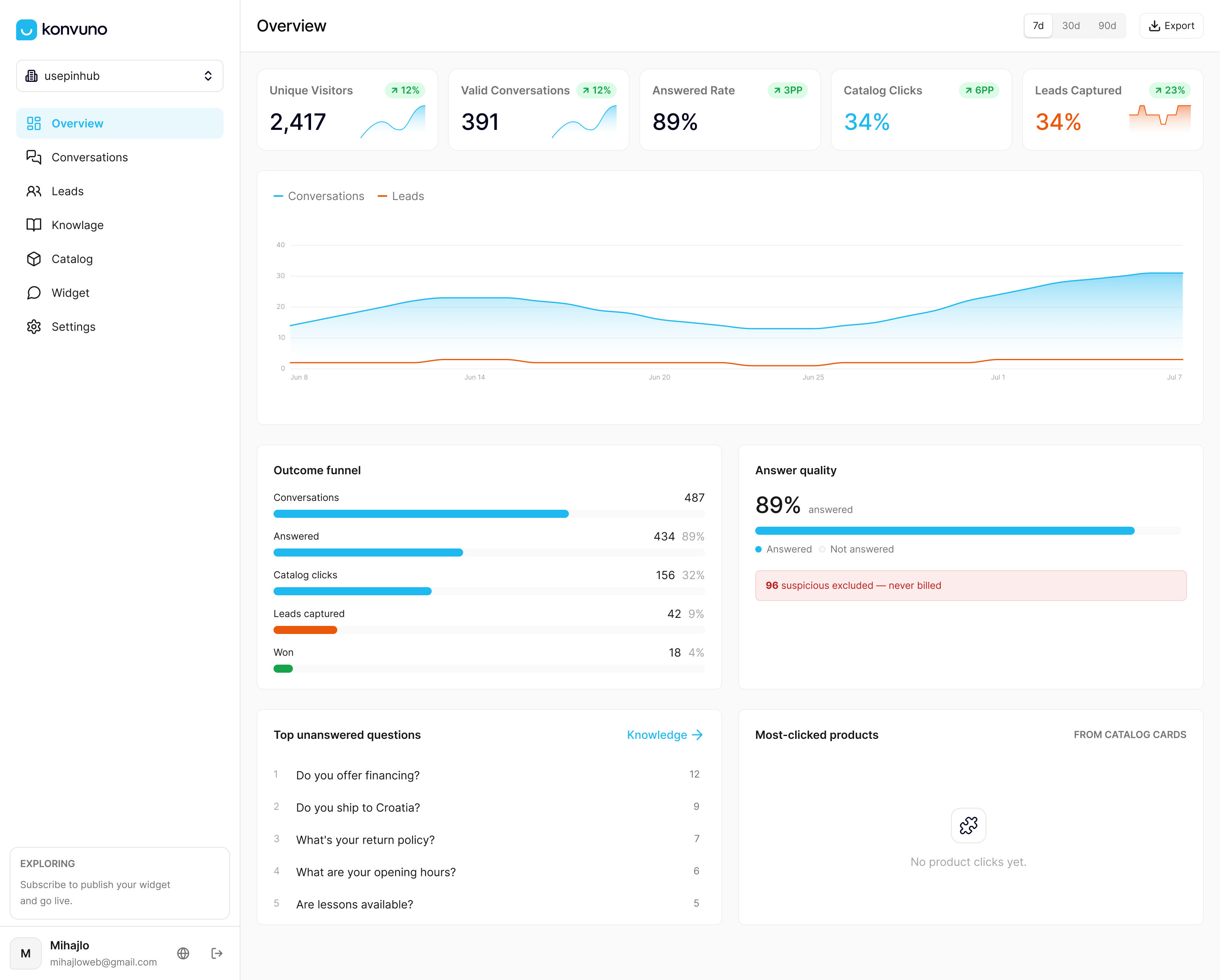
Some website assistants install through a single script tag rather than a developer project, and conversation logs may carry the session ID, timestamp, and role data an analysis pipeline needs. That’s a meaningfully different starting point than scraping chat widget logs after the fact or exporting from a support ticket system never designed for structured analytics. For e-commerce Q&A, lead qualification, and multilingual visitor chat, an assistant may handle the capture and first-response layer while producing logs clean enough to feed into various sentiment or topic modeling workflows downstream.
Konvuno isn’t built to replace the LLM pipelines described in this guide. Some assistants sync catalog data automatically from e-commerce platforms or product feeds so conversation logs about pricing and availability stay accurate without manual updates. If your current chat capture is the weak link in your analysis pipeline, check current plans and pricing starting at €29 a month for the Starter tier, or look at the FAQ assistant feature if structured knowledge answers are your immediate priority.
Sources
For hands-on implementation, Microsoft’s reference architecture covers the full pipeline design. Cohere’s chunking documentation and UserTesting’s transcript analysis guide detail preprocessing. For topic modeling theory, the ACM paper on automated transcript analysis is a solid academic starting point, and Conversational AI’s guide to sentiment analysis for calls rounds out the operational side.
- Microsoft — Analyze agent conversation transcripts (architecture reference)
- UserTesting — Generate video transcript analysis
- Cohere — Chunking strategies
- AssemblyAI — Sentiment Analysis docs
- Deepgram — Audio Intelligence docs
- ACM — Automated chat transcript analysis using topic modeling
FAQ
How Can I Analyze My Chats?
Export your chat transcripts with timestamps and speaker labels intact, clean and chunk them into 30 to 60 second segments, then run sentiment scoring and topic extraction through an LLM or dedicated API. Store the raw transcripts separately from the results so you can rerun the analysis when your model improves.
What Is a Chat Transcript?
A chat transcript is the recorded text of a conversation, whether from a live chat widget, a support ticket, or a transcribed voice call, including who said what and, ideally, when. Quality transcripts preserve speaker identity and timing data, not just the raw words.
Can ChatGPT Make Transcripts?
ChatGPT and similar LLMs can generate summaries, sentiment labels, and topic breakdowns from a transcript you provide, but they don’t generate the original transcript from audio on their own. You still need a transcription step, such as a captioning tool or a speech-to-text API, before an LLM can analyze the conversation.
What Is the Best Software for Conversation Analysis?
There’s no single best tool; the right choice depends on whether you need transcription with diarization, sentiment scoring, topic modeling, or all three combined into one workflow. Dedicated APIs like AssemblyAI and Deepgram handle structured sentiment and topic output well, while a capture tool like Konvuno is better suited to generating clean, analysis-ready logs from website chat in the first place.
Do I Need to Worry About Token Limits When Analyzing Long Transcripts?
Yes. Transcripts over roughly 8,000 tokens risk truncation or higher costs if sent whole to an LLM, so chunk them first and consider sending only high-signal segments for detailed analysis. This keeps both accuracy and API costs under control.