IT Teams Avoid 7 Day Bulk Limits on Conversation Transcript Exports
IT teams’ practical playbook to match transcript export methods to compliance archives, analytics pipelines, or ad hoc checks. Learn how to avoid 7 day...

Use bulk export or data sync when you need a complete, compliance-ready archive. Use an API GET request when you need to pull a single transcript programmatically into another system. Use the UI when you just need a quick download for a spot check. The right file format depends on what happens next: CSV or JSON for analytics pipelines, SRT or VTT when captions or subtitles are the goal.
TL;DR:
- Bulk exports or data sync are necessary for compliance archives and analytics, with limitations like a seven-day frequency and potential delays in data availability.
- Use the UI for quick, manual downloads of small volumes, and API requests for real-time, single-transcript retrieval within active workflows.
- CSV format suits dashboards and ticket tracking, JSON is needed for media alignment and NLP, while SRT or VTT are best for captions and subtitles.
- Confirm access permissions and retention windows before scheduling exports, as data may be unavailable if it has aged out or permissions are lacking.
- Properly match export method, format, and timing to avoid common failures like missing data or validation errors during audits.
Table of Contents
- Export methods: UI, API, and bulk export tools
- Export formats and metadata: CSV, JSON, SRT, and VTT
- Access, retention windows, and prerequisites
- Common errors, troubleshooting, and robust export patterns
- Quick how-to: a minimal export workflow
- Konvuno perspective and operational checklist for widget-based assistants
- What IT teams get wrong about transcript exports
- When to consider Konvuno for export-ready conversation capture
- FAQ
- Sources
- Primary documentation and developer links
Export methods: UI, API, and bulk export tools
Each export path solves a different job, and picking the wrong one usually shows up later as a missing field or a blocked request rather than an immediate error.
UI export works best for one conversation or a small handful at a time. It is the fastest way to grab a transcript for a support ticket or a quality check, but most interfaces cap how far back you can reach and do not scale past a few dozen records.
API fetches are built for single-conversation retrieval inside another application, such as a customer portal or a case management tool. Salesforce’s messaging object model treats direct APIs as the right tool for near real-time, single-record access rather than historical dumps.
Bulk export or data sync is the route for compliance archives or analytics ingestion, where you need thousands of sessions at once. These typically run as a scheduled job or a one-time CSV or ZIP dump, and the same Salesforce guidance recommends routing large-batch or historical exports through Data Cloud or a bulk export tool instead of hammering the API. That bulk export tool is meant for one-time full exports and can typically be used only once every seven days, and Data Cloud visibility can lag by up to an hour, so plan the timing of a compliance pull around that window.
A short way to keep the three straight:
- UI: ad-hoc downloads, small volume, manual effort.
- API: single-record retrieval embedded in another workflow.
- Bulk export or data sync: full archival or analytics at scale, with scheduling limits to respect.
Export formats and metadata: CSV, JSON, SRT, and VTT
Format choice determines whether a transcript is actually usable once it lands in your systems. CSV exports at the session level typically carry fields like SessionID, StartDateTime, ChatTranscript, Turns, TopicName, and CSAT, according to Microsoft’s documentation on downloaded session data. That structure maps cleanly to a BI tool or a spreadsheet for trend analysis.
JSON is the better pick when you need to reconstruct a conversation turn by turn. Transcription APIs commonly expose utterance arrays with speaker, start time, end time, and text, which is what you need to align a transcript with audio or video or to feed an NLP pipeline, as described in AssemblyAI’s export documentation.
SRT and VTT exist for captioning and subtitle workflows, and most export APIs let you control characters per caption along with paragraph or sentence segmentation, per the same AssemblyAI reference and Transkriptor’s export parameters.
- Choose CSV for dashboards and ticket match-back.
- Choose JSON for media alignment or language processing.
- Choose SRT or VTT for captions.
Platform CSV exports can include SessionID, StartDateTime, ChatTranscript, Turns, TopicName, TopicId, ChannelId, CSAT, and Comments, a schema detailed in Microsoft’s Copilot Studio transcript documentation. That same source notes that when a bot answers using SharePoint as a knowledge source, the exported transcript keeps the question and the search results but can redact the agent’s actual answer, which is worth checking before you treat an export as complete.
Access, retention windows, and prerequisites
Export availability depends on who has access and how long the platform keeps the data. Most platforms require a specific administrative role, something like a Bot Transcript Viewer permission, before transcript downloads even appear as an option, and that role needs to be granted before an export request makes sense; for guidance and resources on access requirements and organizational roles, see Be Extraordinary — Curriculum.
Retention windows vary by storage layer. Microsoft’s data retention documentation states that Copilot Studio keeps session data in transient storage for about 28 days, while Power Apps bulk CSV exports typically default to pulling the last 30 days. Syncing to Dataverse or a similar data cloud extends how long records stay retrievable, and that same documentation notes Dataverse retention can be adjusted through bulk-delete job settings rather than left on the default.
A few practical notes worth checking before you plan an export:
- Confirm the admin role needed to see the export option at all.
- Check whether the default retention window already excludes the records you need.
- Verify whether bulk-delete jobs are scheduled to run before your export date.
- Some environments, including developer sandboxes, Dataverse for Teams, and certain Microsoft 365 Copilot agent setups, may not produce exportable transcripts at all.
Pro Tip: Check your retention settings before you schedule a compliance export, not after a 422 error tells you the records are already gone.
Common errors, troubleshooting, and robust export patterns
Most export failures trace back to one of a few predictable causes, and a defensive pattern avoids most of them before they happen.
- A 422 validation error usually means the requested IDs fall outside the retention window or the request body is malformed, so validate and filter IDs before batching, as HubSpot’s API error guidance explains.
- Batch requests in smaller groups with exponential backoff, and use idempotency keys where the platform supports them, to avoid rate-limit failures during large pulls.
- Check per-response character caps, often around 512 characters, and build a post-processing step that reassembles multi-response content instead of assuming one field holds the full answer.
- Log export audit metadata, including who requested the export, the scope, and the timestamp, both for compliance and for troubleshooting later.
- Use pre-signed URLs for large downloads rather than direct streaming, which cuts down on timeout and permission errors on big files.
Quick how-to: a minimal export workflow
A working export flow follows the same four steps whether you are pulling one transcript or ten thousand.
- Pick the method: bulk export for full archive, API for single-record retrieval, UI for a quick ad-hoc check.
- Pick the format: CSV for BI ingestion, JSON for NLP or media alignment, SRT for captions, and turn on timestamps and speaker labels wherever the export tool offers them.
- Post-process the file: normalize timestamps, reattach speaker segments, map SessionID to your ticketing system, verify checksums, then store it somewhere access-controlled.
- Log the export event itself, along with the retention setting in effect at the time, so an auditor can later confirm what was available and when.
Pro Tip: Keep a standing export log even for routine pulls, it turns an audit request from a scramble into a five-minute lookup.
Konvuno perspective and operational checklist for widget-based assistants
Before relying on any website assistant for exportable records, we recommend confirming exactly which conversation fields it saves and whether those fields map to your CRM or archive without manual rework. Check multilingual handling too: a transcript exported in one language should stay traceable back to the visitor’s original question. Catalog-synced assistants add another layer worth checking, since product references inside a transcript are only useful downstream if the catalog data that generated them is also exportable or at least reconstructable.

What IT teams get wrong about transcript exports
The biggest mistake we see is treating “export” as a single feature instead of three distinct jobs with three different failure modes. Teams build one workflow, usually the UI download, and then try to stretch it to cover compliance archiving, which it was never designed for. Retention windows get discovered the hard way, during an audit, instead of being checked during setup.

The conventional advice tends to focus on file format, CSV versus JSON versus SRT, as if that were the hard part. Format matters, but it is the easy decision. The harder, more consequential choice is matching the export method to the retention window and the access role before you ever get to format. A perfectly formatted JSON export is useless if the IDs you requested had already aged out of transient storage.
If you take one thing from this: confirm retention and permissions first, pick your format second, and automate the audit log from day one rather than bolting it on after a compliance request catches you flat-footed.
— Konstantin
When to consider Konvuno for export-ready conversation capture
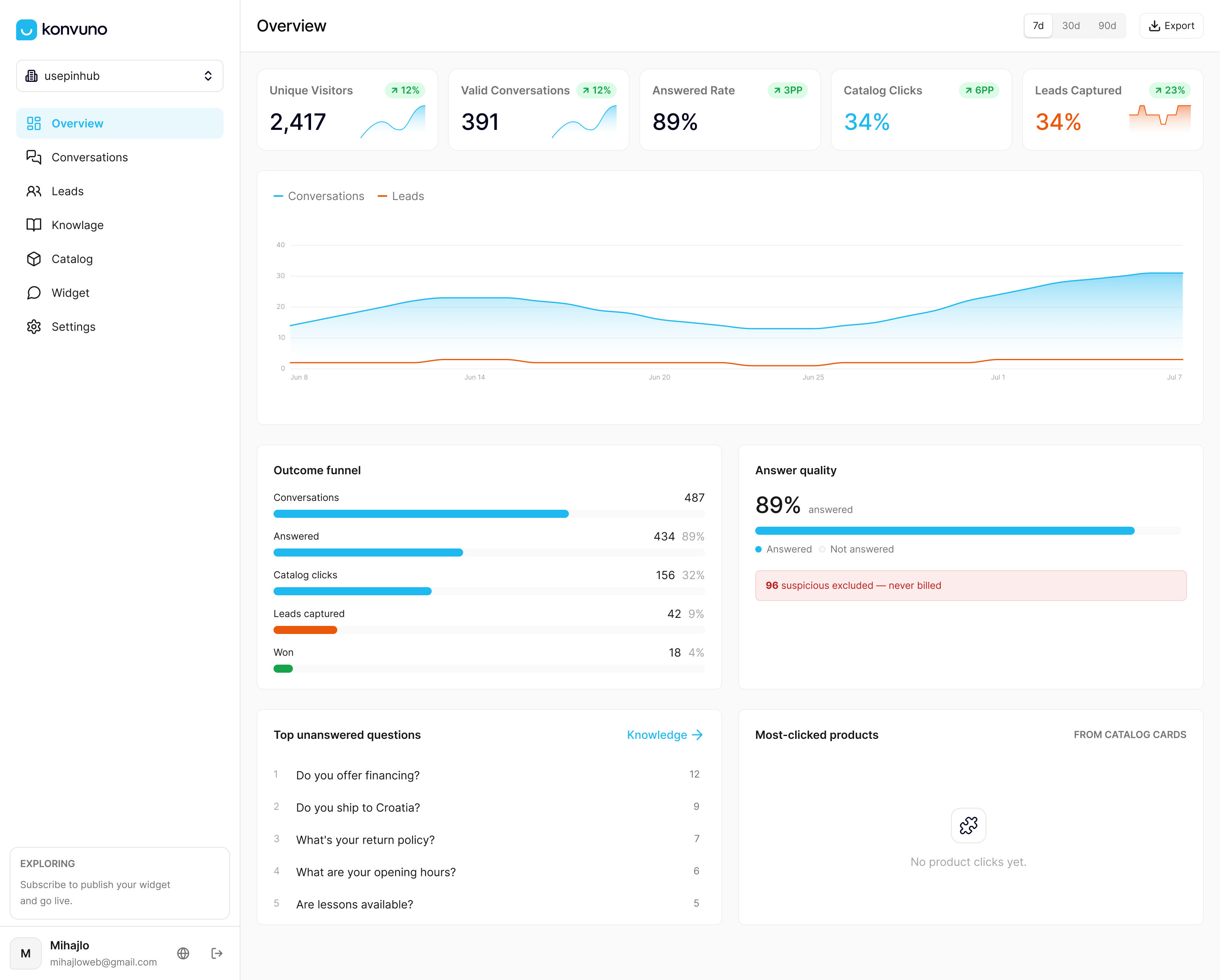
If you run a small or medium business site and want conversation records that are easy to export and tie back to a CRM without building custom pipelines, we built Konvuno around that exact need. The widget installs in minutes with a single script tag, answers visitor questions in seven languages from your own FAQs and product catalog, and captures every conversation into a dashboard that also handles lead capture and CRM sync. There is no per-seat pricing and no developer dependency to maintain it.
Plans run from Starter at 29 EUR per month to Growth at 79 EUR per month and Business at 199 EUR per month, each with full conversational catalog capabilities included. If keeping clean, exportable conversation records alongside automated visitor support sounds useful for your site, you can configure and preview Konvuno before paying anything.
FAQ
Is it possible to export an entire ChatGPT conversation?
Most conversational AI platforms let you export a full session rather than isolated messages, typically through a UI download or a bulk export tool depending on the platform’s settings. Availability depends on the retention window in effect and whether the conversation still falls within it.
What does it mean to export a conversation?
Exporting a conversation means pulling the stored record of an exchange, usually including the text, timestamps, and speaker labels, out of a platform and into a file like CSV, JSON, or SRT. The exact fields included depend on the platform and the export method used.
How do I get a full transcript of text messages?
Getting a full transcript depends on the messaging platform’s own export or backup feature, since most consumer messaging apps do not expose a developer API for bulk transcript pulls. For business messaging platforms, a bulk export tool or data sync is generally the more reliable path than a manual UI download.
How do I save an entire chat conversation?
The most reliable way is a bulk export or data-sync job if your platform supports one, since UI downloads are often capped to recent or short conversations. Check the platform’s retention window first, since a conversation that has aged out of transient storage may no longer be retrievable at all.
Sources
- Messaging object model and access — Salesforce Developers
- Common API errors and how to handle them — HubSpot blog
- Exporting a transcription — Transkriptor developer docs
- Export transcripts as SRT, VTT, or text — AssemblyAI docs
Primary documentation and developer links
The retention, format, and error-handling details above come from platform documentation rather than general guides, and they are worth bookmarking if you are implementing an export pipeline yourself.