SMBs: 3 Chatbot Must-Haves to Deflect Repetitive Questions
Operations-first playbook for small support teams: three practical requirements to actually deflect repetitive customer questions: fresh connected...

Yes, a chatbot can deflect most repetitive, low-risk questions, but only when three things are in place: it draws from connected, current knowledge sources, it routes on confidence instead of guessing, and you measure actual resolution rather than raw deflection counts. A recent practical guide from eesel AI backs this up, and tools like Konvuno make the setup accessible without a developer team.
TL;DR:
- Focus on questions that are highly repetitive and low risk, such as order status, password resets, and store hours, for effective deflection.
- Measure the stability and risk of common questions using recent ticket data, prioritizing those with consistent, low-impact answers.
- Use past resolved tickets and automated product feeds to build accurate, current knowledge content for the chatbot to rely on.
- Implement retrieval-augmented generation with confidence thresholds and escalation triggers to prevent confident false answers.
- Start with small, high-volume themes, run a thorough simulation, and expand gradually to ensure sustainable, effective chatbot deployment.
Table of Contents
- What Ticket Deflection Actually Means (and Why It Matters for Small Teams)
- How Do You Find Which Questions Are Worth Deflecting?
- What Content Should You Feed the Chatbot?
- How Do You Keep the Chatbot From Guessing?
- Which Metrics Actually Prove the Chatbot Is Working?
- What Does a Safe Rollout Actually Look Like?
- How Konvuno Fits Into This Playbook
- Why Most Teams Get the Rollout Order Backwards
- Try Konvuno if You Want Deflection Without the Engineering Project
- Sources
- FAQ
What Ticket Deflection Actually Means (and Why It Matters for Small Teams)
Ticket deflection is the practice of resolving a customer’s question before it ever becomes a support ticket an agent has to touch. FAQ deflection is the narrower version: a bot or self-service page answers a common question directly on the site, in the chat widget, or inside a help center search box. Self-service resolution is the outcome you actually care about. The customer got their answer, closed the loop, and never opened a ticket at all.
The distinction matters because a lot of teams chase the wrong number. A chatbot that “handles” a conversation but leaves the customer frustrated and emailing support anyway hasn’t deflected anything. It’s just added a bad interaction in front of a ticket that was going to happen regardless.
For small support teams, the payoff isn’t abstract. Every question a bot resolves is time an agent didn’t spend typing the same answer for the fortieth time this month. That time goes toward the tickets that actually need a human: a billing dispute, a damaged shipment, a custom account request. Response times drop on the harder tickets because agents aren’t drowning in the easy ones.
Some categories of questions repeat so often they’re almost universal across support inboxes:
- Where is my order? (WISMO) — shipping status, tracking numbers, delivery windows
- Password resets and login issues — usually solvable with a self-serve link
- Return and refund policy questions — “can I return this,” “how long do I have,” not the refund itself
- Plan or subscription changes — how to upgrade, downgrade, or cancel
- Store hours, locations, and basic product specs — for local businesses and e-commerce alike
These categories share a trait worth noticing: the answer rarely changes from customer to customer, and getting it wrong carries low risk. That combination, high repetition and low risk, is exactly what makes a question a strong deflection candidate. Questions that vary by account, involve money movement, or touch legal terms belong in a different bucket, which the next section covers in detail.
How Do You Find Which Questions Are Worth Deflecting?
You can’t automate what you haven’t measured first. The starting point is a theme analysis: pulling the last one to three months of tickets, chat transcripts, and support emails, then grouping them by the actual question being asked rather than the department that handled it. Most helpdesk platforms let you export this data as a CSV, and even a manual tagging pass on a few hundred tickets reveals patterns fast.
Here’s a workable process for running that analysis:
- Export recent conversations. Pull tickets, live chat logs, and support emails from the last one to three months. More recent data reflects current products and policies better than a full year of history.
- Cluster by intent, not by tag. Group tickets by what the customer was actually trying to accomplish. “Where’s my package” and “my tracking number isn’t updating” are the same intent even if they landed in different queues.
- Count volume per cluster. Rank clusters by raw frequency. The top ten to fifteen clusters usually account for a disproportionate share of total ticket volume.
- Score for stability. Ask whether the correct answer today will still be correct in three months. Shipping policy is stable. A one-time promotion is not.
- Score for risk. Rate each cluster on how bad a wrong answer would be. A wrong shipping estimate annoys someone. A wrong refund amount creates a chargeback dispute.
- Rank by volume times stability, filtered by risk. Multiply volume and stability, then drop anything that scored high on risk regardless of the other two numbers.
- Produce your top ten list. This becomes your initial deflection scope, the questions you build knowledge content for first.
Certain categories should get excluded almost automatically, no matter how often they come up: billing disputes, account security and identity verification, anything with legal or compliance language, and one-off exceptions a manager granted for a specific customer. These carry consequences too big for a wrong or slightly-off automated answer.
Pro Tip: Don’t rank by ticket count alone. A question that shows up 200 times but requires checking an individual account balance is a worse deflection candidate than one that shows up 80 times with the exact same answer every time. Stability beats raw volume.
The output of this exercise should be a short, ranked list, not a sprawling spreadsheet. Ten well-chosen categories with clean, stable answers will do more for your ticket volume than a bot that half-answers fifty categories.
What Content Should You Feed the Chatbot?
Knowledge sources aren’t interchangeable, and the order you connect them changes how good the bot’s answers actually are. A sensible priority order looks like this: resolved tickets and agent macros first, published help center articles second, internal documentation third, and product catalogs feeding structured facts like price and availability.

Resolved tickets deserve more weight than most teams give them. Published FAQ articles are written in company language. Resolved tickets are written in customer language, and they capture the exact phrasing, follow-up questions, and edge cases real people hit. Feeding a bot with past resolved conversations, not just polished KB articles, materially improves how much ground it can cover, because it learns the messy way people actually ask things.
The practical move is to extract canonical replies from your best resolved tickets: take the agent’s actual answer, strip out the customer-specific details, and turn it into a reusable, generic response the bot can pull from. Do this for your top ten deflection candidates first, not for every ticket in the archive.
For e-commerce sites, product catalogs solve a problem static content can’t: prices and stock levels change, sometimes daily. A chatbot answering from a document written last quarter will confidently quote a price that’s no longer true. Syncing the catalog through WooCommerce, Google Merchant, or a Facebook product feed keeps price and availability answers current without anyone manually editing an article every time a SKU changes. Konvuno’s Shop Connect feature handles this kind of sync automatically, which matters more than it sounds. Stale product information is one of the fastest ways to lose customer trust in a chatbot.
Content hygiene keeps the whole system from degrading over time:
- Write one problem per article. An article covering three unrelated topics confuses retrieval and dilutes the match confidence.
- Tag content by category and product line so retrieval can narrow its search before it even considers relevance.
- Deduplicate aggressively. Two articles that answer the same question with slightly different wording create ambiguity, not redundancy.
- Date-stamp anything tied to a policy or price so stale content is easy to flag.
Pro Tip: Set a quarterly reminder to re-run your theme analysis. Customer questions shift as your product changes, and content that was accurate at launch quietly goes stale six months later.
How Do You Keep the Chatbot From Guessing?
The single biggest risk in automated question handling isn’t a slow bot. It’s a confident, wrong one. The fix starts with retrieval before generation, commonly called RAG (retrieval-augmented generation): the system searches your connected knowledge for relevant content first, then answers strictly from what it found, rather than generating a plausible-sounding response from general training data. When a bot answers from thin or irrelevant content, it tends to hallucinate, producing an answer that sounds right but isn’t grounded in anything you actually published.
Guardrails that actually work in production combine a few layers:
- Retrieval-first prompting. Instruct the model to answer only from retrieved, cited content, never from general knowledge about “how most companies handle this.”
- Coverage checks. Compare how well the retrieved documents actually match the user’s query before letting the bot respond confidently. Thin overlap should trigger a lower confidence score, not a forced answer.
- Confidence thresholds. Set a score below which the bot stops trying to answer and escalates instead of stretching a half-relevant document into a response.
- A hard exchange limit. A reasonable practitioner rule is to cap it at two exchanges before forced escalation. A third back-and-forth on the same issue usually signals the customer is frustrated, not just curious.
Reference architectures like AWS’s QnABot illustrate this pattern well: a question bank stored in a search index, with fallback to a broader knowledge base when no confident match exists, and a session ID carried through the whole exchange so a handoff to a human doesn’t lose context. That session continuity is the detail most homegrown bots skip, and it’s the reason customers end up repeating themselves to a human after the bot already asked three clarifying questions.
Escalation design deserves its own attention, because a badly handed-off conversation does more damage than no automation at all. When the bot escalates, it should pass the full conversation transcript and whatever documents it retrieved, along with the reason it couldn’t resolve the issue, directly to the agent inbox. A clean handoff that includes the conversation, retrieved documents, and escalation reason reduces repeat explanation and shortens agent handling time, because the agent isn’t starting from zero.
Certain categories should be flagged as must-escalate from day one, regardless of how confident the bot’s retrieval looks: billing and refund requests, account security and identity verification, anything involving a legal or compliance question, and requests that touch an individual account balance or history. Confidence scoring can misfire on these categories in ways that are expensive to unwind.
Which Metrics Actually Prove the Chatbot Is Working?
Deflection rate alone is a vanity metric if you stop there. A bot can technically “deflect” a conversation by giving an unhelpful answer that the customer gives up on, which counts as a resolved chat in the raw number but leaves a churned or annoyed customer behind. The metric to anchor on instead is assistant resolution rate: the share of conversations where the customer didn’t reopen the issue or contact support again within a set window, commonly 72 hours.
The formula in practice: Resolution Rate = (Conversations Closed by Bot minus Reopened Within 72 Hours) divided by Total Bot Conversations. This punishes bots that technically close a chat without actually solving the problem, and it rewards the categories where your content is genuinely solid.
| Metric | What it measures | Why it matters |
|---|---|---|
| Assistant resolution rate | Bot-closed conversations that don’t reopen within 72 hours | Filters out false deflections where the customer gave up |
| CSAT split (bot vs. agent) | Satisfaction score compared across bot and human interactions | Flags categories where the bot is quietly hurting satisfaction |
| Escalation rate | Share of bot conversations handed to a human | Rising escalation on a specific theme signals a content gap |
| Reopen rate | Conversations that return to support after being marked resolved | Direct signal of false resolution, independent of CSAT |
| Abandonment rate | Customers who leave the chat without a resolution or escalation | Often the most overlooked number, and the most damaging one |
CSAT should be split by channel, not blended into one company-wide score. A bot with a lower CSAT than your agents isn’t necessarily failing. It might be handling categories agents rarely touch, like simple order-status questions where expectations are already low. But if CSAT on bot-handled tickets drops below your agent baseline by a wide margin, that’s the signal to dig into which specific themes are dragging the number down.
Before rolling out widely, run the bot against historical tickets in a simulation and compare its proposed answers to what actually resolved those tickets. This approach lets you forecast deflection coverage by theme and surface knowledge gaps before a single live customer sees a wrong answer. Where possible, A/B test the bot against a control group receiving standard support, and compare resolution and CSAT side by side rather than trusting the simulation numbers alone.
What Does a Safe Rollout Actually Look Like?
Skipping straight to a full-scope launch is the most common way small teams sour on chatbot automation. A staged approach catches problems while they’re still cheap to fix.
- Simulate against historical tickets first. Run your top ten deflection candidates through the bot using real past conversations and compare its answers to what actually resolved each ticket. This step surfaces gaps in your knowledge base before customers ever see them.
- Inspect the failure modes directly. Don’t just look at the pass rate. Read the conversations where the bot got it wrong or hedged, and trace each failure back to a missing or poorly written source article.
- Launch narrow. Pick two or three themes from your ranked list, ideally the highest-volume, lowest-risk ones, and turn the bot loose only on those. Resist the urge to flip every category on at once.
- Measure for a defined window. Give it two to four weeks of real traffic before making a call. Watch resolution rate, CSAT, and escalation rate specifically for the themes you launched.
- Expand deliberately. Add the next few themes from your ranked list only after the first batch is stable. Where you can, A/B test the expansion against a holdout group to confirm the lift is real.
- Set monitoring triggers. A CSAT drop of a few points on a theme, or an escalation rate that climbs week over week, should trigger a review, not wait for a quarterly report.
- Turn failed retrievals into a content backlog. Every time the bot escalates due to low confidence, log the query. Those logs become a prioritized to-do list for new or improved knowledge articles.
Pro Tip: Review your failed-retrieval log weekly during the first month after launch. It’s the single fastest way to find out what customers are actually asking that your content doesn’t cover yet.
Tuning cadence matters more than tuning intensity. A quick weekly check on the last week’s escalations and reopen rate catches drift early, while a monthly deep dive into full theme analysis keeps the deflection list current as your product and policies evolve.
How Konvuno Fits Into This Playbook
Konvuno is built around exactly the workflow described above, minus the engineering lift. It installs with a single script tag and is configured entirely through a hosted dashboard.
For the knowledge-source layer, Konvuno pulls from your FAQs, general website content, and product catalog in one connected system. Catalogs can sync automatically from common product feeds, helping to keep answers about price and stock accurate without manual updates every time inventory shifts. That maps directly to the catalog-hygiene problem covered earlier: stale product answers erode trust faster than almost anything else a bot can get wrong.
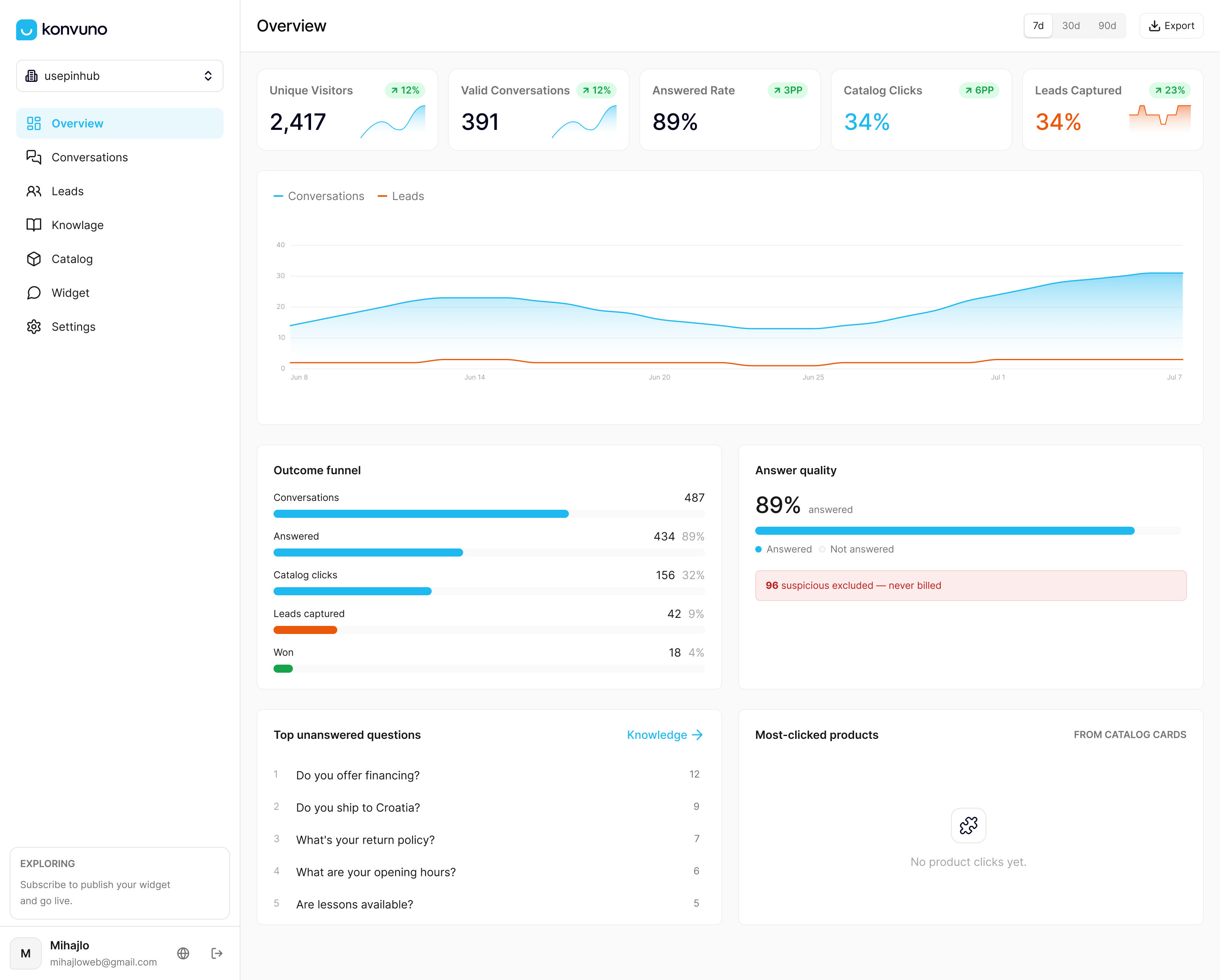
Konvuno also covers parts of this playbook that are easy to skip when building something in-house, such as lead capture into a CRM, human handoff for questions the assistant can’t confidently answer, and a dashboard showing conversation history and analytics on visitor questions.
That analytics view matters more than it sounds. It’s a running record of exactly which questions keep repeating, which is the raw material any team needs to keep expanding deflection coverage over time.
Why Most Teams Get the Rollout Order Backwards
The instinct with most support automation projects is to start with the tool and work backward into a use case. That’s the wrong order, and it’s why so many chatbot rollouts underdeliver. The teams that actually see fewer repetitive tickets start with the theme analysis, not the software.
The conventional advice on this topic overindexes on deflection rate as a headline number, and that’s a mistake worth naming directly. A high deflection rate paired with a rising reopen rate isn’t progress. It’s a support team quietly transferring frustration from the ticket queue into a chat window nobody’s watching closely enough.
What the research actually supports is narrower and more useful: pick a small number of stable, low-risk questions, feed the bot from real resolved tickets rather than polished documentation alone, and route on confidence instead of trying to answer everything. Expand only once the numbers hold up under a real reopen window. That’s slower than flipping every category on in week one. It’s also the version that doesn’t require walking the whole project back three months later.
— Konstantin
Try Konvuno if You Want Deflection Without the Engineering Project
Konvuno gives small support teams and e-commerce stores a way to run this entire playbook without hiring for it. Instead of stitching together a retrieval system, a knowledge base, and an escalation workflow from scratch, you connect your FAQs, site content, and product catalog once, and the assistant handles the retrieval, confidence routing, and handoff described throughout this piece.
That maps directly to what actually matters in a rollout: multiple knowledge sources feeding one system, catalogs that stay current through product feed sync so product answers don’t go stale, and clean handoff to a human with conversation context intact when a question needs one. The service includes full conversational catalog capabilities, so an e-commerce site can access accurate price and stock answers across plans. Pricing details are available on the pricing page, and the assistant can be configured and previewed before payment.
If you’re running a product catalog and want to see how automated answers hold up against real stock and pricing data, the Shop Connect feature is the place to start. Otherwise, visit Konvuno directly to set up the widget and see what your own visitors have been asking all along.
Sources
- How to deflect tickets with AI: a practical guide (2026) | eesel AI
- IEEE paper (retrieval/LLM safety)
FAQ
How Do You Confuse an AI Chatbot?
Chatbots typically get confused by vague, multi-part questions that bundle several unrelated issues into one message, or by requests that depend on account-specific context the bot can’t retrieve. Ambiguous phrasing without a clear intent, and questions that require the bot to guess at missing details, are the most reliable ways to break a retrieval-based system.
What Should You Avoid Discussing With a Chatbot?
Avoid using a chatbot for anything involving account security, payment details, legal disputes, or medical and financial advice specific to your situation. These categories carry high consequences for a wrong answer, and a well-designed deflection system, including Konvuno’s, should be configured to escalate these straight to a human rather than attempt a confident answer.
What Kinds of Questions Tend to Break AI Chatbots?
Questions with several conditional layers (“if I return this but also want store credit and my order shipped twice”) tend to break bots because retrieval struggles to match multi-part logic to a single knowledge source. Sarcasm, typos stacked with slang, and questions that shift topic mid-message also commonly drop confidence scores low enough to force escalation.
What Are the Four Common Types of Chatbots?
Support teams generally encounter rule-based bots that follow fixed decision trees, retrieval-based bots that pull answers from a connected knowledge base, generative bots built on large language models, and hybrid bots that combine retrieval with generation to answer from verified content while still handling open-ended phrasing. Konvuno falls into the hybrid category, retrieving from your FAQs and catalog before generating a response grounded in that content.
Does Konvuno Replace Human Support Agents Entirely?
No, Konvuno is built to handle repetitive, low-risk questions and hand off anything it can’t confidently answer to a human agent with full conversation context attached. It’s designed to reduce the volume of repetitive tickets reaching your team, not to remove the need for agents on complex or sensitive issues.