SMB Developers: Build or Buy a Language Detection Chatbot
Developer-first roadmap for SMBs to add language detection to chat. Prioritized pipeline patterns, a nine step MVP checklist, testing tips, and a hosted...

A language detection chatbot works best with a layered pipeline: check the browser or HTTP headers first, confirm with a server-side detector, and route the result through a translation layer rather than hardcoding it into your chat logic. This approach balances speed, accuracy, and privacy, especially once you add BCP47 tagging to keep every component talking about language the same way. Some tools already bake this pattern into a hosted widget, which matters if you would rather skip the build.
TL;DR:
- Rule-based detectors are fastest and least accurate, while model-based detectors offer the highest accuracy at increased computational cost.
- Hybrid detection patterns, combining client and server checks, provide a good balance for most production chatbots.
- Storage of language codes in session or cookies prevents repeated detection, while having a visible language switch improves user experience.
- Browser APIs and on-device models are suitable for prototypes or privacy-sensitive flows, whereas cloud APIs are better for broader language coverage.
- Automatic detection struggles with very short messages, so setting minimum input lengths and confidence thresholds improves reliability.
Table of Contents
- How language detection works
- Where detection and translation sit in the chat pipeline
- Browser and API options worth knowing
- Handling short texts, confidence scores, and fallback
- Testing and evaluation for multilingual chat
- Implementation checklist for an MVP multilingual chatbot
- How a hosted assistant handles this for small teams
- A faster path to multilingual chat support
- Authoritative docs and papers to consult
- Sources
- FAQ
How language detection works
Three families of detectors cover almost every chatbot use case. Rule-based heuristics check the browser’s Accept-Language header or a user’s saved locale: fast and free, but blind to what the visitor actually typed. Statistical detectors, including n-gram models, compare character sequences against known language profiles and work well on longer text but stumble on short phrases. Model-based detectors, like FastText’s language identification models or transformer-based classifiers, trade some speed for accuracy and handle messy, mixed input better.
- Rule-based: cheapest and fastest, best as a first guess, weak on accuracy alone.
- Statistical (n-gram): solid middle ground, struggles below roughly a sentence’s worth of text.
- Model-based (FastText, transformers): highest accuracy, more compute cost, best for production chat.
Pick based on scale and budget: a low-traffic prototype can lean on browser headers and a statistical fallback, while a high-volume support bot benefits from a model-based detector behind an API. Whatever you choose, tag every detected language with a canonical BCP47 code so your translation layer, logging, and knowledge base all agree on what “Spanish” or “Portuguese (Brazil)” means.
Where detection and translation sit in the chat pipeline
Four architecture patterns cover most real deployments, and the right one depends on your latency budget, privacy requirements, and how many languages you need to support.
- Client-only: detection and translation happen in the browser, minimizing server round-trips and keeping raw text off your servers, but language coverage depends on what the browser ships.
- Server-only: every message hits your backend for detection and translation, giving you full control and consistent coverage at the cost of added latency.
- Hybrid: the browser makes a fast first guess, the server confirms or overrides it, which is the pattern most production chatbots converge on.
- Translation-as-middleware: language logic lives in a dedicated layer between the chat UI and your business logic, so your core bot code only ever sees one working language.
Persist the detected or chosen language in session storage or a cookie so the bot does not re-guess on every message, and always give users a one-click override near the chat input. Translation-as-middleware also protects you from a common bug: never translate internal keys, product IDs, or intent names, only the human-facing strings, and route each conversation to the localized version of your FAQ or knowledge base rather than translating generic content on the fly.
Pro Tip: Store the detected language code, not the display name, so “pt-BR” and “pt-PT” never collide downstream.
Browser and API options worth knowing
For prototypes, the browser’s built-in LanguageDetector and Translator APIs are worth testing first: they run detection and translation client-side, which cuts latency and keeps raw message text off your server. Both APIs expose an availability() check that returns states like “available” or “downloadable,” since models may need to download before first use, so always feature-detect before calling create().
- Browser APIs (LanguageDetector/Translator): low latency, better privacy, limited by what languages ship in that browser build.
- On-device models (MediaPipe-style detectors): run locally, return confidence scores per candidate language, good for offline or privacy-sensitive flows.
- Server and cloud translation APIs: broader language coverage and more consistent quality, at the cost of a network round-trip and sending text off-device.
For production scale, pair a cloud detector with a managed translation service. AWS’s QnABot pipeline, for example, uses Comprehend for detection and Amazon Translate for the translation step, with locale parameters driving fallback behavior for both voice and text channels.
Handling short texts, confidence scores, and fallback
Short messages like “hi” or “ok” defeat most detectors, since there simply are not enough characters to score reliably. Set a minimum input length (often 15 to 20 characters) before trusting automatic detection, and fall back to the browser locale or last known preference below that threshold.
- Require a confidence score above a set threshold before auto-translating; below it, ask the user to confirm their language with one tap.
- Build a regional fallback map (Portuguese to Brazilian Portuguese, Arabic dialects to Modern Standard Arabic) so an ambiguous match still lands somewhere usable.
- Always surface a visible language selector so a misdetection costs the user one click, not a broken conversation.
Testing and evaluation for multilingual chat
Standard machine translation metrics score individual sentences, but chat happens across turns, with pronouns, slang, and shifting formality that a single-sentence BLEU score cannot see. The WMT/ACL Chat Translation Shared Task found that context-aware training and quality-aware decoding, meaning models that use previous turns rather than translating each message in isolation, produce measurably better human-judged translations than context-agnostic systems.
Automated metrics can undercount real performance. A 2024 arXiv study found that manual evaluation of properly prompted LLMs showed very high dialogue-state accuracy and nearly perfect response generation, well above what automatic scoring alone suggested, which means a bot that looks mediocre on paper may perform better in practice.
Build both automated and human test suites: automated tests for detection accuracy and response formatting, human review for context-dependent cases like pronoun resolution, formality shifts, and slang. In production, track detection confidence distribution, translation fallback rate, and language-switch frequency per session, and alert when any of them spikes.

Implementation checklist for an MVP multilingual chatbot
A working multilingual bot does not require solving every edge case on day one.
- Decide your supported language list and default locale, tagged in BCP47 format.
- Add browser or header-based detection as the first signal.
- Add a server-side or model-based detector as confirmation or fallback.
- Route detected language through a translation middleware layer, never directly into business logic.
- Set a confidence threshold and build the “ask the user” fallback path.
- Persist language choice per session and add a visible override control.
- Connect translated queries to localized FAQ or knowledge base content.
- Add telemetry for detection confidence, fallback rate, and language mix.
- Handle model download states gracefully if using on-device APIs, and consider CDN or edge placement to cut latency for the initial load.
How a hosted assistant handles this for small teams
Building the pipeline above is a real engineering project: detector selection, translation middleware, confidence tuning, and ongoing monitoring. Hosted options can fold that into a single widget that installs with one script tag and may support multiple languages, syncing answers from a business’s FAQs, website content, and product catalog rather than requiring custom detector training. That tends to suit a small team with no dedicated developer more than it suits a business whose chatbot needs an unusual language pair or a custom-trained model outside what a vendor supports. For most SMBs choosing between the two, the deciding factor is simple: available engineering time.
— Konstantin
A faster path to multilingual chat support
If the checklist above looks like more infrastructure than your team has time to build, a hosted assistant gets you a working multilingual chat experience without writing a detector or a translation layer at all. 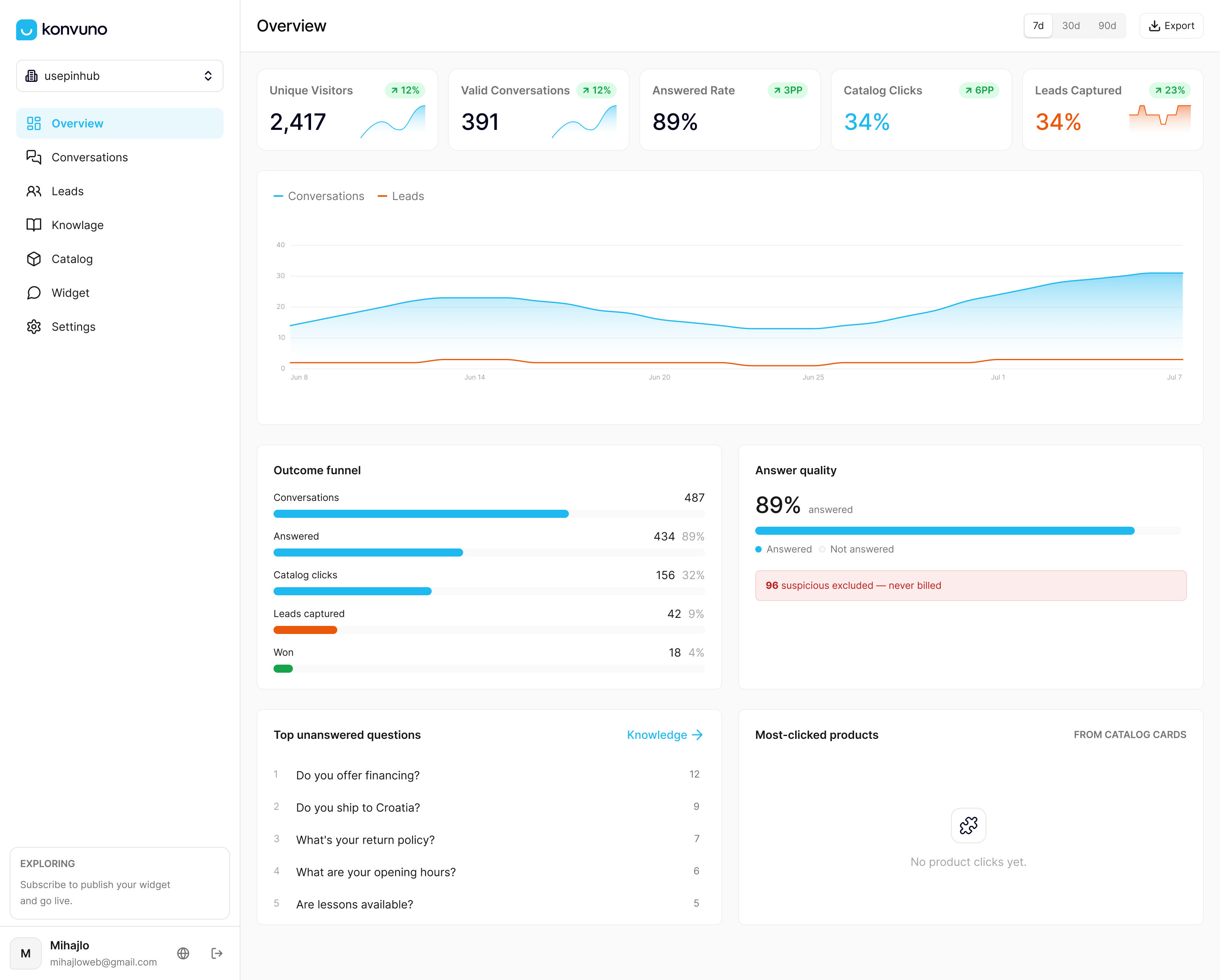
Some AI assistants install with a single script tag, answer from existing FAQs and product catalogs, and capture leads into a built-in CRM while supporting multiple languages. Catalogs may sync automatically from WooCommerce, Google Merchant, or Facebook product feeds, helping product answers stay current.
- Compare your build-versus-buy decision against the Starter, Growth, and Business plans, priced at entry-level, mid-tier, and premium monthly rates.
- Check the FAQ assistant feature if your main need is multilingual answers to repeat questions.
- Check Shop Connect if product catalog translation is your priority.
Preview the assistant on your own site and configure it from the dashboard before paying anything, then decide whether a hosted widget or a custom pipeline fits your timeline.
Authoritative docs and papers to consult
- W3C Language Tags and Locale Identifiers for BCP47 and language negotiation.
- MDN LanguageDetector and Translator API docs for browser implementation details.
- WMT/ACL Chat Translation Shared Task for evaluation methodology.
- AWS QnABot multilingual blog post for a production reference architecture.
- Live Caption AI’s posts on real-time translation for translation-layer design notes.
Sources
- Benchmarks Underestimate the Readiness of Multi-lingual Dialogue Agents — arXiv
- Chat Translation Shared Task 2024 — ACL Anthology
- Language tags and locale identifiers for the World Wide Web — W3C
- Using the Translator and LanguageDetector APIs — MDN Web Docs
- Building a multilingual question-and-answer bot with Amazon Lex — AWS ML blog
FAQ
Can AI detect language automatically?
Yes, AI-based detectors including statistical models and transformer classifiers can identify a message’s language automatically, often returning a confidence score alongside the prediction. Accuracy drops on very short inputs, which is why most production systems pair detection with a confidence threshold and a fallback prompt.
What are the best AI chatbots for multilingual support?
There is no single ranked list of best multilingual chatbots, since the right choice depends on whether a team wants to build a custom pipeline or use a hosted assistant. Hosted platforms like Konvuno cover several languages out of the box for businesses that prefer not to build detection and translation logic themselves.
Is ChatGPT built using natural language processing?
Yes, ChatGPT is built on large language model architecture, a branch of natural language processing that learns patterns from text to generate and understand language. The same underlying techniques power many language detection and chat translation systems discussed in NLP research.
Is there an app that can detect language automatically?
Yes, browsers now ship built-in detection through APIs like the LanguageDetector API, and many translation apps include automatic language identification as a core feature. On-device options like MediaPipe’s language detector offer the same capability for custom app development.