Developers: Design a Language Fallback Chatbot That Clarifies Once
Developer-focused guidance to build multilingual fallback flows: detect per message, set a default language, ask one clarification prompt, then escalate...

A language fallback chatbot detects the visitor’s language, tries a localized knowledge base match, drops to a configured default language when detection fails or confidence is low, asks one clarifying question before giving up, and hands off to a human when that fails too. The pattern that works in production is simple: detect, try localized content, fall back to a default language, clarify once, and then escalate. It preserves the visitor’s intent and tone at every step instead of forcing a robotic translation.
TL;DR:
- Setting appropriate confidence thresholds is crucial, as too high or too low values increase fallback rates and ignore normal queries or cause misinterpretation.
- Short, ambiguous, or code-mixed inputs frequently cause language detection failures, making default languages and per-message tagging essential.
- Building a fallback flow that includes detection, localized lookup, a clarification prompt, and escalation improves visitor experience and reduces unnecessary handoffs.
- Regularly monitoring fallback events, logging language and confidence data, and testing with low-resource or noisy inputs help optimize multilingual support.
- Maintaining current, localized knowledge bases and avoiding reliance on literal translation are more effective than just improving language detection algorithms.
Table of Contents
- What Is a Fallback Response in a Chatbot?
- What Causes a Chatbot to Fall Back, and How Do You Fix It?
- How Do You Design Fallback for Multiple Languages?
- How Do You Build a Language Fallback Flow?
- How Do You Test Fallback Behavior Across Languages?
- What Should You Configure and Monitor in Production?
- How Konvuno Applies These Fallback Patterns for SMB Sites
- Where the Conventional Advice on Fallback Gets It Wrong
- Get Multilingual Fallback Handling Without Building It Yourself
- Sources
- FAQ
What Is a Fallback Response in a Chatbot?
A fallback response is the predefined path your bot takes when it can’t confidently process what a visitor typed. It’s not a bug. It’s a designed safety net that fires when the natural language understanding (NLU) layer can’t match an intent with enough certainty to act on it.
Inside a typical NLU pipeline, every incoming message gets scored against known intents. If the top match clears a confidence threshold (commonly somewhere between 0.6 and 0.8, depending on the framework), the bot proceeds. If it doesn’t clear that bar, or if the message maps to nothing in the training data at all, the system routes to fallback logic instead of guessing. This is exactly how fallback behavior is defined across most conversational platforms: a safety net for low confidence or genuinely unseen intents.
There isn’t just one kind of fallback. Three patterns cover almost every case:
- Default message fallback: a generic “I didn’t quite get that” response, best reserved for early-stage bots with limited scope.
- Clarification prompt: a targeted follow-up question (“Are you asking about pricing or shipping?”) that gives the NLU engine a second shot with more context.
- Escalation or handoff: routing straight to a human agent, appropriate when the query touches billing, legal, or anything with real stakes.
Which one you choose depends on where the visitor sits in their journey. A shopper mid-checkout who gets confused needs a fast, specific clarification, not a generic apology. A first-time visitor casually browsing FAQs can tolerate a default message and a nudge toward a better phrasing. Save escalation for moments where getting it wrong actually costs something.
What Causes a Chatbot to Fall Back, and How Do You Fix It?
Fallback events aren’t random. They cluster around a handful of predictable failure modes, and instrumenting for them is the fastest way to cut your fallback rate without touching your core NLU model.
- Low confidence scores from threshold misconfiguration. Set the bar too high and you’ll trigger fallbacks on perfectly normal queries; set it too low and the bot confidently answers the wrong question. Most teams start around 0.7 and tune from logged conversation data, exactly the kind of pragmatic threshold-tuning developers discuss in implementation threads.
- Short or ambiguous inputs. A single word, an emoji, or a two-character reply gives language detection almost nothing to work with. Detection models trained on full sentences often guess wrong on fragments, which is why a hard-coded default language matters more than a “smart” detector for these cases.
- Unseen intents and sparse training data. Slang, regional phrasing, and named entities your training set never saw (a product name, a local landmark, an abbreviation) will consistently miss, no matter how well-tuned your thresholds are.
- Code-mixing and partial translation. A visitor who opens in English and switches to Spanish mid-sentence, or blends both, breaks detectors that only check language once at the start of a session.
Each of these has a different fix, and lumping them together under “the bot doesn’t understand” is why so many teams never actually reduce their fallback rate.
How Do You Design Fallback for Multiple Languages?
Auto-detect works well when messages are long enough to classify confidently, typically more than a handful of words. Below that, detection accuracy drops fast, and a language selector or a hard-coded default becomes the safer default. Neither approach should run alone.
Set a default fallback language for every deployment, not just as an emergency catch, but as a documented policy: what happens when confidence is below threshold, what happens on the very first message before any language signal exists, and what the bot says while it waits for a signal. Vendor implementations that support auto-detection with a configurable fallback generally let you choose between continuing in the visitor’s original language or switching to a default, and they log which path fired. Use those logs. They’re the fastest way to catch a detector that’s silently misfiring on one specific language pair.
Here’s the part most teams get backward: naive machine translation of your intents and responses is not the same as multilingual support. Practitioners building conversational AI consistently warn against a translation-first approach, because literal translation strips out tone, idiom, and the contextual cues your NLU model actually relies on to match intent. A context-aware model, or an LLM prompted with the original intent and tone preserved, holds up far better across languages than running your English intents through a translation API and hoping the phrasing survives.
Practical multilingual fallback design includes:
- Track language per message, not per conversation, so a mid-chat switch doesn’t get treated as gibberish.
- Maintain a hard-coded default for messages too short or ambiguous to classify confidently.
- Build a short list of unsupported-language responses in your top three or four visitor languages, even if full support only covers your core markets.
- Log every auto-detect decision so you can audit false positives, especially between closely related languages.
Pro Tip: Test your fallback with single emoji messages and one-word replies before launch. That’s where language detection breaks first, and it’s the cheapest bug to catch before real visitors hit it.
Code-mixing deserves its own line item. A bot that only checks language at session start will misfire constantly on visitors who blend languages naturally, which is common in multilingual households and bilingual regions. Per-message tagging catches the switch in real time instead of forcing the whole conversation into one bucket.
How Do You Build a Language Fallback Flow?
The most reliable fallback architectures follow a progressive clarification pattern before they ever touch escalation: confirm what the bot thinks it heard, rephrase if that’s wrong, then escalate if rephrasing also fails. Skipping straight to “I don’t understand, please contact support” is where most bots lose visitors who would have stayed with one more nudge.
- Detect the message language on every incoming message, not just the first one in a session.
- Attempt a localized knowledge base lookup in that detected language before falling back to anything else.
- Fall back to the configured default language if the localized lookup returns nothing or confidence stays below threshold.
- Trigger one clarification prompt, phrased naturally in whichever language the conversation is currently running in.
- Escalate to a human agent if the clarification also fails to produce a confident match.
Instrumentation is what makes this flow improvable instead of a black box. Every message should carry a language tag and a confidence score in your logs, alongside which step in the flow it ultimately resolved at. That single dataset answers most of the questions that matter: which languages have the highest fallback rate, whether your default language is absorbing too much traffic that should be resolving locally, and whether one specific intent is systematically failing in a specific language.
In pseudo-code terms, the flow looks roughly like this:
on_message(msg):
    lang = detect_language(msg)
    log(lang, confidence)
    response = lookup_kb(msg, lang)
    if response.confidence < THRESHOLD:
        response = lookup_kb(msg, DEFAULT_LANG)
    if response.confidence < THRESHOLD:
        ask_clarification(lang)
        response = lookup_kb(clarified_msg, lang)
    if response.confidence < THRESHOLD:
        escalate_to_human(lang)
This isn’t complicated engineering. It’s a handful of conditionals and a logging call at each step, which is exactly why there’s no excuse for shipping a bot without it. The pattern scales from a rule-based bot with a handful of intents to a full LLM-backed assistant; only the lookup and confidence-scoring internals change.

How Do You Test Fallback Behavior Across Languages?
Test scenarios need to cover more than “does the bot answer in English correctly.” Build test cases around short messages (single words, emojis), code-mixed inputs, low-resource languages where your training data is thin, and deliberately noisy input with typos or transliteration. Testing multilingual voice agents in particular requires per-message language checks, because voice interfaces compound the detection problem with accent variation and transcription noise on top of the language question itself.
Four metrics matter more than raw accuracy scores:
- Fallback rate: the percentage of conversations that trigger any fallback at all.
- Fallback-to-resolution rate: of those, how many still reach a satisfactory answer through clarification.
- Time-to-handoff: how long a visitor waits before reaching a human when escalation is warranted.
- Language-detection accuracy: measured separately per language pair, not as one blended average.
A blended average is where most teams get fooled. A bot can post a healthy overall detection accuracy while one specific language sits at a much worse rate, quietly dragging down conversion for that segment while the dashboard looks fine.
Statistic to watch for internally: teams that A/B test fallback wording, not just thresholds, consistently find that specific clarifying prompts outperform generic “I didn’t understand” messages, a pattern documented in analysis of graceful failure handling. Run that test in every language you support, not just your primary one; the wording that converts best in English rarely translates as the best-converting phrasing anywhere else.
Logs are your ongoing test suite. Review fallback transcripts weekly, tag the repeat offenders by language and intent, and route the worst patterns back into training data.
What Should You Configure and Monitor in Production?
Every fallback system needs a small set of settings exposed somewhere a non-engineer on your team can adjust them without a deploy.
- Default fallback language, set explicitly rather than left to whatever the framework ships with.
- Confidence thresholds, tunable per intent category if your platform supports it, since billing questions and casual FAQ questions don’t need the same bar.
- Auto-detect toggle, so you can disable detection entirely for channels where it consistently misfires.
- Channel-specific behavior, since a chat widget, a WhatsApp integration, and a voice channel each need different fallback wording and escalation paths.
When fallback rates spike, the runbook is short: check whether a recent content change broke a localized knowledge base entry, check whether detection logs show a specific language pair failing, and check whether a new intent shipped without training data in your other supported languages.
Keep your localized content audited on a schedule, not just reviewed. Translation and knowledge-base entries need to stay current with your default-language versions, and a language-detection default should never be treated as a substitute for keeping actual localized content maintained. Handle visitor data captured during fallback and handoff the same way you’d handle any support conversation, with no jurisdiction-specific assumptions baked into the flow itself.
How Konvuno Applies These Fallback Patterns for SMB Sites
Konvuno runs on the same core pattern outlined above, built for small business owners who don’t have an engineering team to hand-tune thresholds. It supports 7 languages out of the box, with a configurable default language that catches visitors when detection confidence is low, mirroring the hard-coded fallback approach that multilingual chatbot guidance recommends instead of relying on detection alone.
The bigger lever for reducing unsupported-language fallbacks isn’t the language engine. It’s keeping the underlying knowledge current. Konvuno syncs product catalog data from sources like WooCommerce or Google Merchant feeds, enabling answers about products, prices, and availability to be based on current data rather than static FAQs. The dashboard provides analytics that highlight which questions triggered fallbacks, allowing ongoing monitoring and improvement without requiring custom logging solutions.
For most small sites, one centralized knowledge base per language, rather than fragmented separate bases, keeps maintenance manageable. Split only when a market genuinely needs different content, not just a different translation.
Where the Conventional Advice on Fallback Gets It Wrong
Most fallback advice treats language detection like a solved problem you configure once and forget. It isn’t. The teams that actually cut their fallback rate are the ones who treat detection confidence the same way they treat intent confidence: something to log, threshold, and revisit monthly, not a checkbox you tick during setup.
The bigger blind spot is tone. Engineering teams optimize hard for detection accuracy and almost ignore what the bot actually says once it lands in fallback. A visitor who gets a stiff, obviously-translated clarification prompt disengages just as fast as one who gets no response at all, even if the language was technically detected correctly. Preserving intent and tone across languages matters as much as the routing logic that gets a message to the right knowledge base entry in the first place.
If you’re building or auditing a fallback system, prioritize in this order: get a default language and confidence threshold set correctly first, instrument every fallback event with a language tag second, and only then start tuning clarification wording. Skipping straight to wording tweaks without the logging in place means you’re optimizing blind.
— Konstantin
Get Multilingual Fallback Handling Without Building It Yourself
Everything in this article, the detection logic, the default-language policy, the confidence thresholds, the escalation path, is exactly what Konvuno handles out of the box for small business websites. You configure a default language and let the assistant answer from your FAQs, website content, and synced product catalog across 7 languages, without writing a single line of NLU logic.
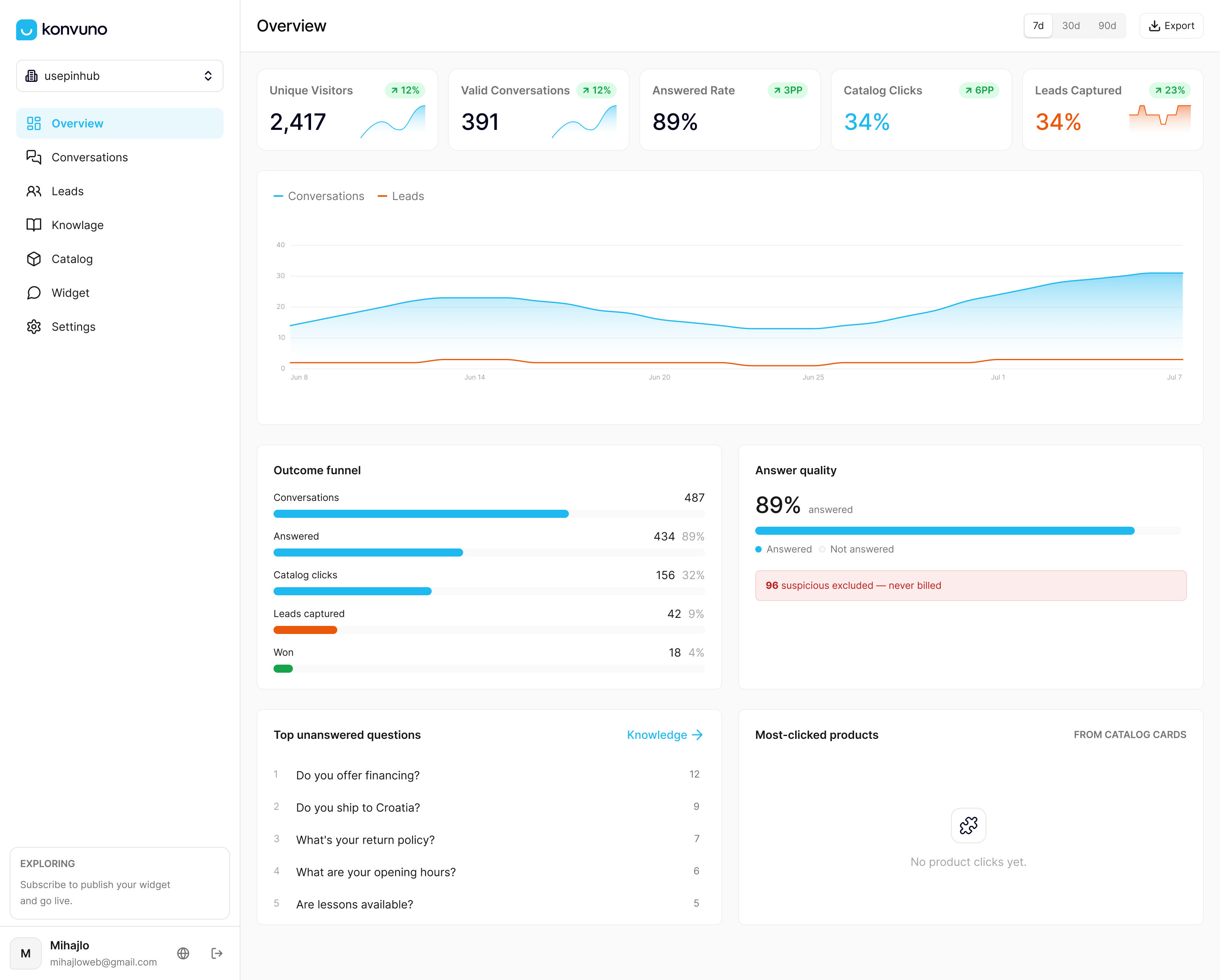
The FAQ Assistant centralizes your knowledge base so fallback rates drop because the content is actually current, not because the language engine got smarter. If you run a WooCommerce store or sell through a product feed, Shop Connect keeps price and stock answers synced automatically, which eliminates one of the most common fallback triggers this article covers: visitors asking about products your bot hasn’t heard about yet. The assistant can be installed via a simple widget script, configured through a dashboard where you set a default language, and monitored using analytics to identify fallback occurrences over time.
Sources
- Auto-Detect Customer Language for Seamless Multilingual Support : Freshsales
- Fallback: Definition & Best Practices - BOTfriends
- how to add fallback intent in chatbot just like api.ai — StackOverflow
FAQ
What Is a Language Fallback Chatbot?
A language fallback chatbot detects the visitor’s language, tries to answer from localized content, and switches to a default language or a clarifying question when detection confidence is too low to proceed confidently.
What Triggers a Chatbot to Fall Back?
Fallbacks fire from low NLU confidence, short or ambiguous messages, unseen intents with no training data match, or code-mixed input that breaks single-point language detection.
Should I Use Auto-Detect or a Language Selector?
Use auto-detect for longer messages where there’s enough text to classify confidently, and fall back to a manual language selector or hard-coded default for short inputs like single words or emojis.
How Do I Reduce Fallback Rates in a Multilingual Chatbot?
Keep localized knowledge base content current, track language per message instead of per conversation to catch mid-chat switches, and use context-aware models instead of literal translation to preserve intent.
Does Konvuno Support Multiple Languages?
Yes. Konvuno answers visitor questions in 7 languages from your FAQs, website content, and synced product catalog, with a configurable default language for cases where detection confidence is low.