7 Step Setup to Translate Website Chat for SMBs, No Developer Needed
SMB guide to translating website chat: choose widget, API, or CRM plugin; use a 7 step checklist; add human handoff and privacy controls.

Yes, you can translate website chat in real time, and it’s production ready for most businesses today. The fastest path is a lightweight widget or a CRM-integrated translator that shows both the original message and its translation side by side. Speed and language coverage come easy; accuracy on niche terminology and regulated topics still needs a human backstop. Pick your integration path, run the setup checklist below, and build in an escalation rule before you launch.
TL;DR:
- Automated live chat translation works best for common language pairs and non-regulated topics, but accuracy may falter with industry-specific terminology.
- Choosing between widget, API, or CRM plugin integration depends on your team’s technical capacity and control needs over translation workflows.
- Verify translation transcript storage policies, message length limits, and data retention details before launching to ensure compliance and avoid support issues.
- Implement clear escalation rules based on translation confidence, sensitive keywords, or customer requests to seamlessly transfer conversations to human agents.
- For larger or sensitive operations, test with real customer queries and account for potential translation errors in critical conversations involving legal, medical, or financial data.
Table of Contents
- How Live Chat Translation Actually Works
- Widget, API, or CRM Plugin: Which Integration Fits?
- Setting Up Translated Chat: A Step-by-Step Checklist
- What to Expect From Translation Quality and Speed
- Handling Data, Privacy, and Compliance in Translated Chats
- When to Hand a Conversation to a Human
- Is Automated Chat Translation Right for Your Business?
- A Faster Way to Run Multilingual Chat: Konvuno
- Sources
- FAQ
How Live Chat Translation Actually Works
Real-time chat translation follows a predictable sequence: a visitor types a message, the system detects the source language, sends the text to a translation engine, and displays both the original and the translated version to each participant. The agent sees the visitor’s words in their own language, replies normally, and that reply gets translated back before the visitor sees it.

Where that translation step actually runs matters more than most teams realize. Some widgets translate client side, in the browser, which is fast but limits how much context the engine has. Others route through a server proxy, adding a small delay but allowing better logging and quality control. Larger operations build translation into the agent CRM itself, so reps never leave their normal workflow to read a foreign-language message.
Google Cloud’s documentation on chat live translation confirms that translated messages get stored alongside the originals in the chat transcript, with a message character limit that varies by configuration. That storage behavior is worth verifying before launch. Ask your vendor exactly how long transcripts persist, whether both language versions are saved, and whether there’s a hard cap on message length that could truncate a long customer complaint mid-sentence.
Widget, API, or CRM Plugin: Which Integration Fits?
Three implementation paths dominate the market, and the right one depends on your team’s technical bandwidth and how much control you need over the translation pipeline.
- Widget install. A single script tag on your site, live in minutes, with little to no engineering time. Vendor pages for tools like the LanguageChat widget show this pattern clearly: auto-detect the visitor’s language, translate on the fly, done. This works well for standard FAQ traffic and catalog questions but gives you less control over routing logic.
- API or service account setup. Full control over how translation triggers, which languages route where, and how data flows through your existing security stack. This path requires enabling a cloud translation service, creating a service account, and assigning the right admin roles, which usually means real engineering hours before anything goes live.
- CRM or plugin integration. Keeps translation inside the tool your agents already use, so nobody switches screens to read a message in another language. Before committing, confirm the plugin actually supports your specific CRM version and your target languages.
Whichever path you choose, decide early whether language detection happens automatically or whether visitors pick a language manually, and whether translated conversations route to a native speaker on your team when one’s available. That routing decision shapes both response quality and how fast your queue moves.
Setting Up Translated Chat: A Step-by-Step Checklist
Getting from decision to live deployment takes a handful of concrete steps, and skipping one usually shows up later as a support headache.
- Decide which languages you actually need and estimate monthly chat volume per language.
- Run a small test corpus of real customer questions through the translation engine before committing to a vendor.
- Choose your integration type and either sign up with a widget provider or register for the cloud translation API you’ll use.
- If you’re going the API route, create a service account, grant the correct translation roles, and generate and store your API keys securely, ideally in a secrets manager rather than a config file.
- Install the widget script or plugin, then configure language detection settings and how translated messages appear in the agent view.
- Test translations against real conversations, measure latency, and confirm transcript storage and message-length limits match what you expected.
- Set clear escalation triggers and run a practice handoff to make sure a human can pick up a conversation without the customer repeating themselves.
A practical guide to piloting AI support agents recommends testing with a small representative set of languages before scaling. This approach surfaces terminology problems while the stakes are still low.
What to Expect From Translation Quality and Speed
Machine translation handles major language pairs, English to Spanish, English to French, English to Mandarin, quite well. Accuracy drops noticeably for less common languages and for domain-specific terms your industry uses that a general-purpose engine has never seen. A furniture company asking about “load-bearing capacity” or a clinic discussing “prior authorization” will see more translation errors than a retailer fielding “what’s your return policy.”
Latency comes from a few sources: network round-trip time, the translation engine’s own processing time, and any queuing if your server proxies requests. Most visitors tolerate a delay of one to two seconds without noticing; anything longer starts to feel like the chat is stuck.
Statistic Callout: Real-time support platforms commonly advertise coverage across 100 or more languages, with interpreter escalation built in as a fallback for complex or high-stakes conversations.
Message-length limits also affect quality. Long, multi-part customer messages sometimes get truncated depending on vendor configuration, so test with realistically long complaints, not just short greetings, before you launch.

Handling Data, Privacy, and Compliance in Translated Chats
Before you turn on translated chat, find out exactly what your platform stores. Most systems keep the original and translated message together in the transcript, which is useful for quality audits but means you’re storing customer text in two languages instead of one. Check the retention window, whether transcripts are encrypted at rest and in transit, and who inside your organization can access them.
For healthcare, legal, or financial conversations, don’t rely on machine translation alone. Build in a path to a certified human interpreter for anything touching diagnosis, legal advice, or account-level financial decisions, and treat the machine output as a first pass rather than a final answer. If your chat captures sensitive fields like medical history or account numbers, minimize what you store and set a shorter retention period specifically for those conversations.
When to Hand a Conversation to a Human
Set clear rules for when translation alone isn’t enough. A confidence threshold on the translation engine, certain flagged keywords (“refund,” “legal,” “diagnosis,” “cancel my policy”), or a visitor explicitly asking for a live person should all trigger an automatic handoff.
When that handoff happens, pass the full conversation history to the human agent so the customer never has to repeat what they already typed. Train your agents to spot-check machine translations against the original text, especially for product names, pricing terms, or anything industry-specific the engine might mangle.
Pro Tip: Always keep the original message visible inline next to the translation, even after a human takes over. It takes agents two seconds to glance at it and catch a mistranslation before they act on it.
Is Automated Chat Translation Right for Your Business?
Automation wins on speed and coverage. If you’re fielding routine questions in five or six languages and don’t have bilingual staff on payroll, a widget gets you there in an afternoon. Human staff still win on accuracy for regulated or emotionally charged conversations, where a mistranslated word carries real consequences.
For most SMBs running product catalogs and FAQ traffic, start automated and add a human escalation path from day one. Don’t wait for a complaint to force the issue.
— Konstantin
A Faster Way to Run Multilingual Chat: Konvuno
Setting up your own translation pipeline means service accounts, API keys, and engineering hours you may not have. Konvuno skips that entirely: install one script tag, and your site gets a multilingual assistant that answers in the visitor’s language, pulling from your FAQs, site content, and product catalog.
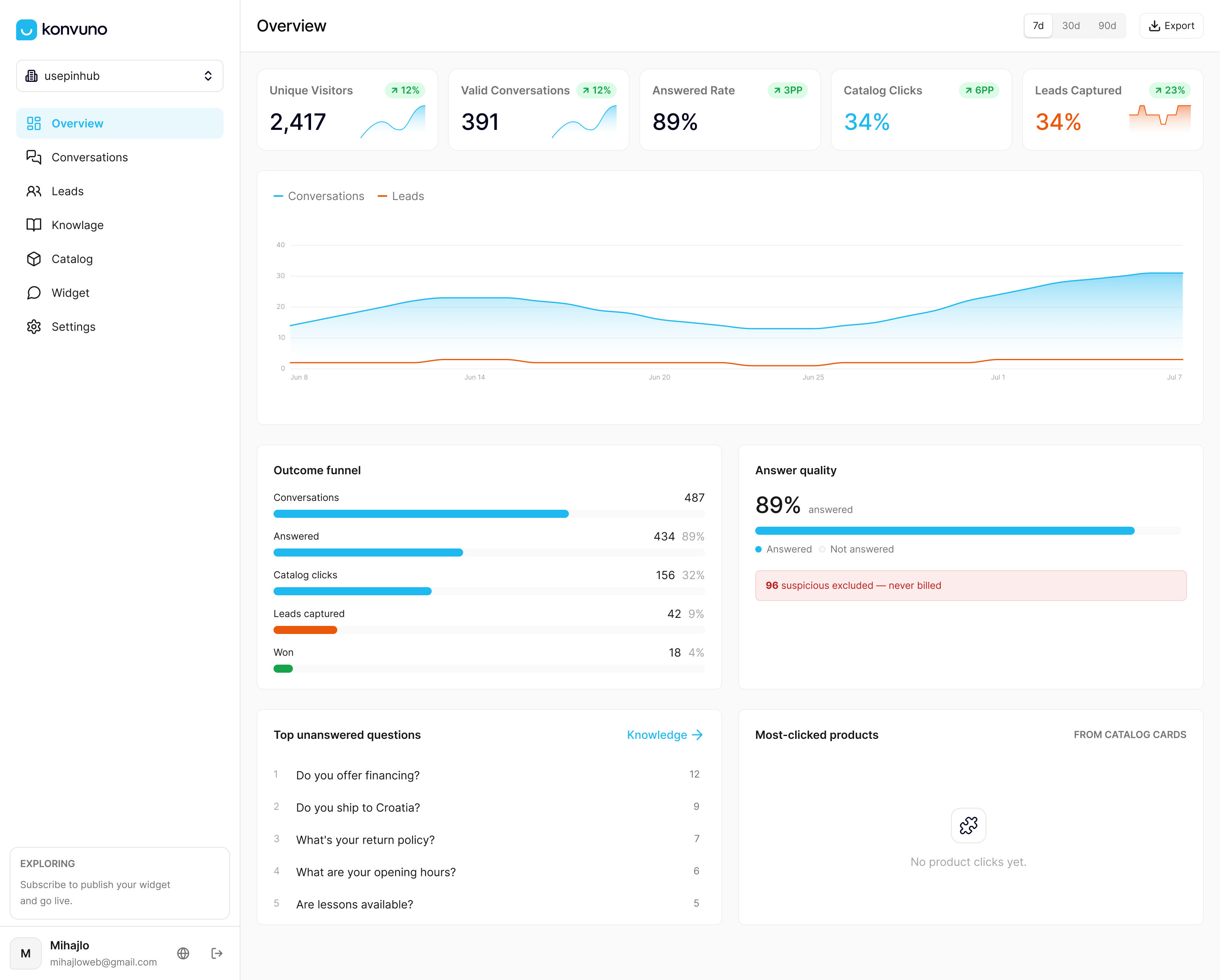
Catalogs sync automatically from WooCommerce or a Google Merchant or Facebook feed, so answers about stock and pricing stay accurate without manual updates. Every conversation that needs a human gets handed off cleanly, and every lead gets captured into the built-in CRM instead of disappearing into a chat log nobody checks. There’s no per-seat pricing to worry about as your team grows, and no developer required to get it running. Current prices are available on the pricing page at Konvuno’s website. Set up your assistant and preview it live at Konvuno before you commit to a plan.
Sources
- Chat Live Translation | Google Cloud Contact Center as a Service | Google Cloud Documentation
- AI Support Agents for SMBs: Evaluate, Pilot, and Scale
FAQ
Is There a Way to Translate an Entire Website, Not Just Chat?
Yes, full website translation and live chat translation are separate but complementary tools. Website translation converts static pages, while chat translation works on live, back-and-forth conversation in real time, and many businesses run both together for full multilingual coverage.
Can ChatGPT Translate a Live Conversation?
General-purpose AI chat tools can translate text you paste into them, but they aren’t built for the automatic, real-time, two-way translation that a dedicated chat widget or CRM integration provides. Purpose-built tools handle language detection, message routing, and transcript storage automatically, which a manual copy-paste workflow doesn’t.
How Do I Translate Live Chat on My Website?
Install a translation-enabled widget or connect a translation API to your existing chat tool, then configure automatic language detection so incoming messages get translated before an agent sees them. Konvuno handles this natively with a single script install and multilingual support across its supported languages.
Can AI Reliably Translate a Business Website?
AI translation handles common language pairs and everyday phrasing well, but accuracy drops for specialized terminology and less common languages. Testing a small sample of real customer questions before full rollout, as recommended in guidance on piloting AI support agents, catches most problems early.
What Happens if the Translation Gets Something Wrong?
Set escalation rules so conversations involving sensitive topics, low-confidence translations, or a direct request for a human get routed to a live agent immediately. Passing the full conversation history to that agent means the customer never has to explain their issue twice.