Discover FAQs From Chats Without a Developer: Five Steps for SMBs
SMBs can extract FAQs from chats, anonymize drafts, and block prompt injection before publishing. Product feed sync keeps pricing and availability current.

The fastest, safest way to discover FAQs from chats is an extract, cluster, draft, review, and publish pipeline: pull transcripts, scrub personal data, group repeat questions, draft answers, and route everything through a human before it goes live. Privacy controls and prompt-injection safeguards are not optional add-ons, they are required steps. Done right, syncing your product feed keeps pricing and availability answers accurate without manual edits.
TL;DR:
- Mask names, emails, order numbers, and phone numbers before any model step; filter untrusted chat text, keep secrets outside prompts, and require human approval.
- Start with frequency counts, then use embeddings only if wording differences obscure repeat questions; preserve customer phrasing and launch with the top 20 questions.
- Use approved human replies for topics involving policy, such as refunds and warranties, and flag clusters where agents previously gave conflicting answers for manual resolution.
- Before publishing each batch, test answers against real customer phrasing, retain edit history and rollback options, and monitor answer mismatches against current policy or stock.
Table of Contents
- Steps to Extract FAQs From Chat Transcripts
- Privacy and Security Controls You Need Before Extracting Data
- Extraction Techniques: Frequency Lists, Clustering, and Hybrid Drafting
- Loading Approved FAQs Into Your Website Assistant
- Governance: Keeping the FAQ Accurate Over Time
- What Actually Works: Lessons From Running This Process
- Konvuno: Run This Pipeline Without Hiring a Developer
- FAQ
- Sources
Steps to Extract FAQs From Chat Transcripts
Turning raw chat logs into a usable FAQ library is a five-stage process. Each stage builds on the last, so skipping one usually means redoing work later.
- Export and structure transcripts. Pull conversation text, timestamps, and outcome tags (resolved, escalated, abandoned); drop agent internal notes and any payment or account fields you do not need for FAQ purposes.
- Scan and anonymize before any AI step. Run automated PII detection on names, emails, order numbers, and phone numbers, then mask or strip them, following data minimization guidance before the text touches a model.
- Run frequency analysis and clustering. Group near-identical questions, including typos and rephrasings, so you see real volume instead of dozens of near-duplicates.
- Auto-draft candidate answers. Generate a first-pass answer for each cluster and tag it as a draft, never publish-ready, with the source conversations attached for context.
- Review, then publish on a schedule. A human checks tone, accuracy, and policy fit before anything reaches the live knowledge base, and you set a recurring cadence (weekly works for most small teams) to repeat the cycle.
For teams handling escalation logs specifically, a closer look at content gaps from escalation logs shows how unresolved chats often reveal the highest-value FAQ candidates.
Pro Tip: Tag every auto-drafted answer with its source conversation ID so reviewers can verify context in seconds instead of re-reading the whole transcript.

Privacy and Security Controls You Need Before Extracting Data
Chat transcripts often contain names, addresses, order details, and sometimes payment fragments. Before any of that reaches a clustering tool or a language model, a few controls need to be in place.
- Map where personal data lives in your chat export and apply masking or anonymization at that point, not after processing.
- Set a retention schedule and a stated purpose for the data, since reusing support logs for AI training or FAQ generation requires its own documented justification under generative AI data practices.
- Filter inputs before they reach the model. Untrusted chat content can carry hidden instructions designed to manipulate an AI system, a risk OWASP’s prompt injection guidance addresses directly through input validation and content segregation.
- Keep secrets out of system prompts. Access tokens and internal rules belong in enforcement layers outside the model, never embedded in a prompt that could leak.
- Gate any output that touches personal data behind human approval, no exceptions.
The NIST AI Risk Management Framework calls for governance, pre-deployment testing, and provenance tracking as baseline practices for generative AI systems. Treating these as a checklist before launch, rather than a cleanup task after, saves rework later.
Extraction Techniques: Frequency Lists, Clustering, and Hybrid Drafting
Different tools suit different volumes. A shop handling a few hundred chats a month needs less machinery than an agency managing ten client sites.
- Frequency counts surface the obvious repeats first. Simple word and phrase counting across transcripts will show you the top recurring questions within minutes, no modeling required.
- Embeddings-based clustering catches semantic variants. Customers rarely phrase the same question the same way twice, and embeddings group “where’s my order” with “has my package shipped yet” even when the wording differs completely.
- Template-based drafting keeps answers on-brand. Feed the model a style guide and a few example replies so drafts match your voice instead of reading like generic AI output.
- Hybrid drafting blends automation with verified snippets. Insert real, previously approved human responses into the auto-draft wherever policy accuracy matters most, like refunds or warranty terms.
- Keep a disagreement watchlist. When two support agents gave different answers to a similar question in the past, flag that cluster for manual policy resolution instead of letting the AI pick the more fluent-sounding one.
Pro Tip: Run frequency counts first, even if you plan to use embeddings later. It takes minutes and tells you whether clustering is even worth the setup time.
The practical prompts and workflows in this guide to ChatGPT for copywriters offer a useful starting point for drafting answers that still sound like a person wrote them.
Loading Approved FAQs Into Your Website Assistant
Once an answer clears review, it needs to land in a format your assistant can actually use, and it needs a way to stay current without manual edits every time a price changes.
- Convert each Q&A into your assistant’s schema, pairing a canonical answer with the intent and the range of phrasings customers actually used.
- Connect product and pricing answers to your feed, syncing from WooCommerce, Google Merchant, or Facebook product feeds so availability and price stay accurate on their own; see how feed-based catalog sync handles this without manual re-entry.
- Schedule a testing window before each batch goes live, checking a sample of new answers against real customer phrasing.
- Keep edit history and a rollback path, so a bad draft or a policy change can be reversed without losing the audit trail.
Monitoring your logs afterward for “answer mismatch” flags, cases where the assistant’s response no longer matches current policy or stock status, catches drift before customers notice it. Updating content without a full retraining cycle is covered in more depth in this guide to fast content updates.
Governance: Keeping the FAQ Accurate Over Time
A knowledge base that is not maintained decays fast. A short list of governance rules keeps it reliable.
- Review escalated questions weekly and turn repeat escalations into draft FAQ candidates automatically.
- Set escalation thresholds based on repeat rate, missed response times, or a spike in negative sentiment.
- Track coverage, deflection rate, and accuracy alongside time-to-ROI; many small teams see measurable deflection within a 4 to 8 week window after launching a consistent review cadence.
- Keep version history and a retention schedule for every published answer, giving you an audit trail if a policy question ever comes up.
The operational program framing for FAQ automation treats this as a standing process rather than a one-time project, which is the mindset that keeps a KB from going stale six months in.
What Actually Works: Lessons From Running This Process
Keep customer phrasing in your retrieval utterances. Rewriting “where’s my package” into “please advise on shipment status” might sound more polished, but it hurts how well your assistant matches real questions. Start with your top 20 recurring questions instead of trying to cover everything on day one; that short list usually accounts for most of your chat volume and delivers the fastest visible win.
— Konstantin
Konvuno: Run This Pipeline Without Hiring a Developer
We built Konvuno so you can run this entire extraction-to-publish workflow from one dashboard, no development team required. Install happens with a single script tag, and from there you manage conversation exports, draft review, and a built-in CRM in one place.
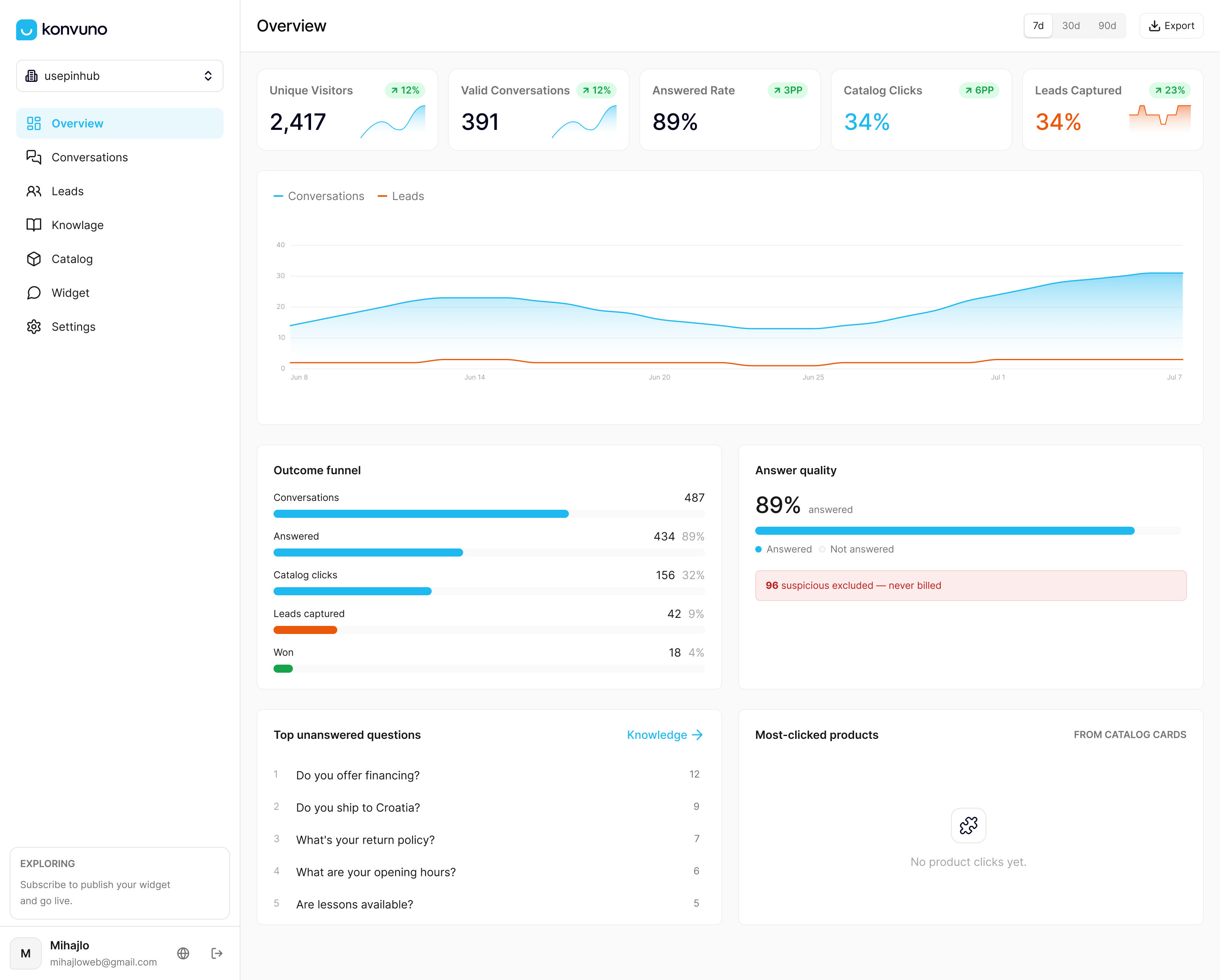
- We sync your product catalog automatically from WooCommerce, Google Merchant, or Facebook feeds, so pricing and availability answers stay current without manual edits.
- We hand off to a human the moment a question needs one, keeping the human-in-the-loop step built into the product rather than bolted on.
| Plan | Price |
|---|---|
| Starter | €29 per month |
| Growth | €79 per month |
| Business | €199 per month |
SMB clients typically see return on investment within 4 to 8 weeks of launch. See the full feature set and plans and preview the dashboard before you commit to anything.
FAQ
What does “discover FAQs from chats” actually mean?
It means pulling repeat questions out of your website chat transcripts and turning them into a structured FAQ or knowledge base entry, instead of letting the same answers get retyped by agents every day. The process typically runs through export, anonymization, clustering, drafting, and human review before anything publishes.
How long does it take to build a usable FAQ set from chat logs?
A small business can usually export, cluster, and draft the first batch of FAQs within a few days, with human review adding a bit more time depending on volume. Many teams see measurable support load reduction within a 4 to 8 week window once the review cadence is consistent.
Do I need to anonymize chat transcripts before using AI tools on them?
Yes. Guidance from the UK government’s AI toolkit calls for mapping where personal data appears and masking or removing it before any AI processing step, along with a documented retention policy.
What is prompt injection and why does it matter for chat-based FAQ extraction?
Prompt injection is when hidden or malicious instructions embedded in input text manipulate an AI model’s behavior, which is a real risk when raw customer chat text gets fed directly into a model. OWASP’s prevention guidance recommends input filtering, segregating untrusted content, and human approval gates before any output goes live.
Does Konvuno keep product and pricing FAQs updated automatically?
Yes, product catalogs sync automatically from WooCommerce, Google Merchant, or Facebook product feeds, so answers about prices and availability update on their own rather than requiring manual edits. Plans offer multiple tiers suitable for varying business volumes; current prices are available on the pricing page.
Sources
- LLM Prompt Injection Prevention — OWASP Cheat Sheet Series
- Artificial Intelligence Risk Management Framework: Generative Artificial Intelligence Profile — NIST