The conversation inbox
Where every chat on your website ends up, what the labels on each conversation mean, and which conversations count toward your plan.
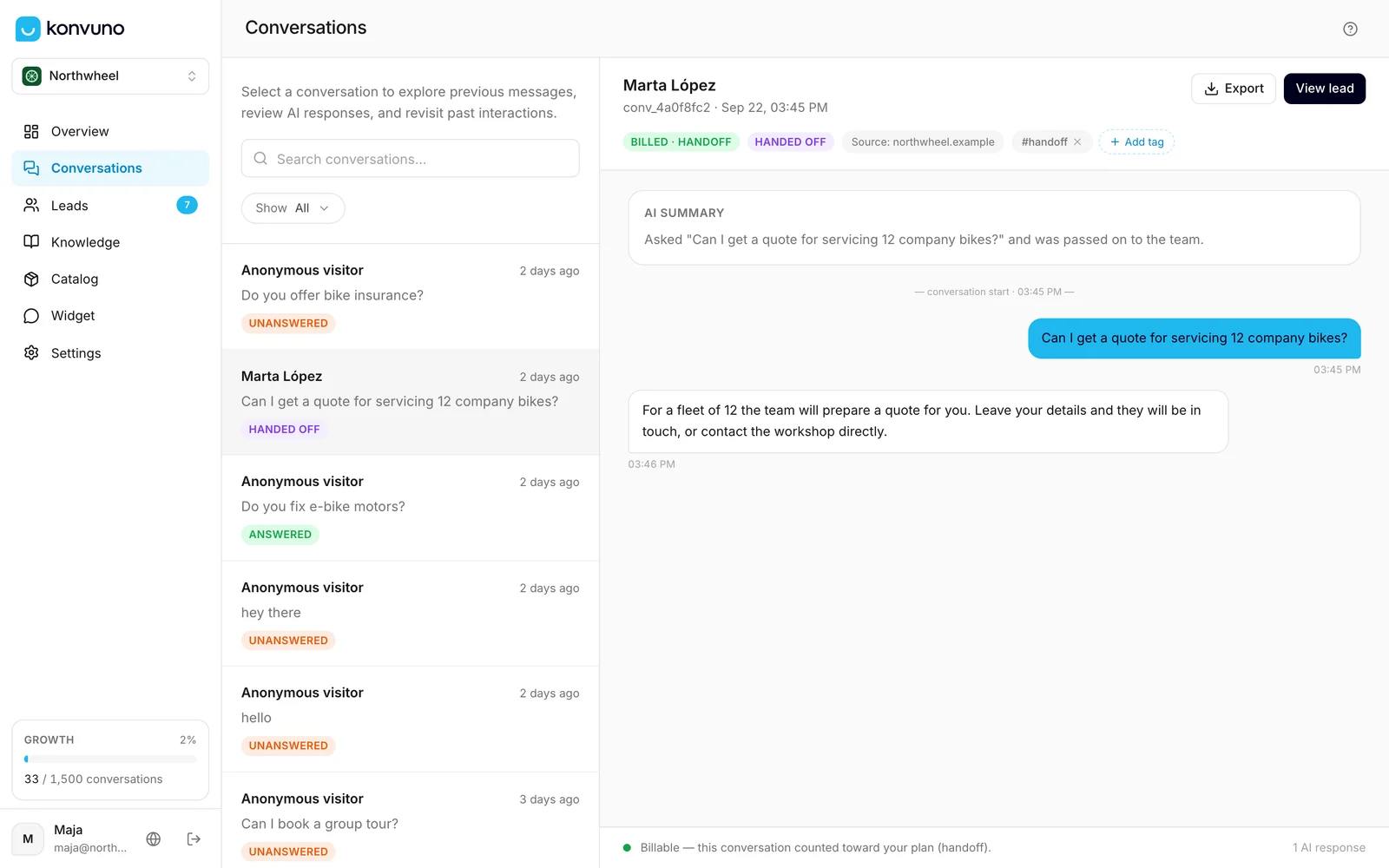
Every chat a visitor has with your assistant lands on the Conversations screen, word for word. It is the best place to learn what your customers ask, check that the assistant answers well, and spot the questions it cannot answer yet.
How a conversation gets here
- A visitor opens the widget on your website and sends a message. Opening the chat without writing anything does not create a conversation.
- From that first message on, everything the visitor and the assistant write is recorded, with the time of each message.
- If the visitor comes back after a break of about half an hour, their next message starts a new conversation.
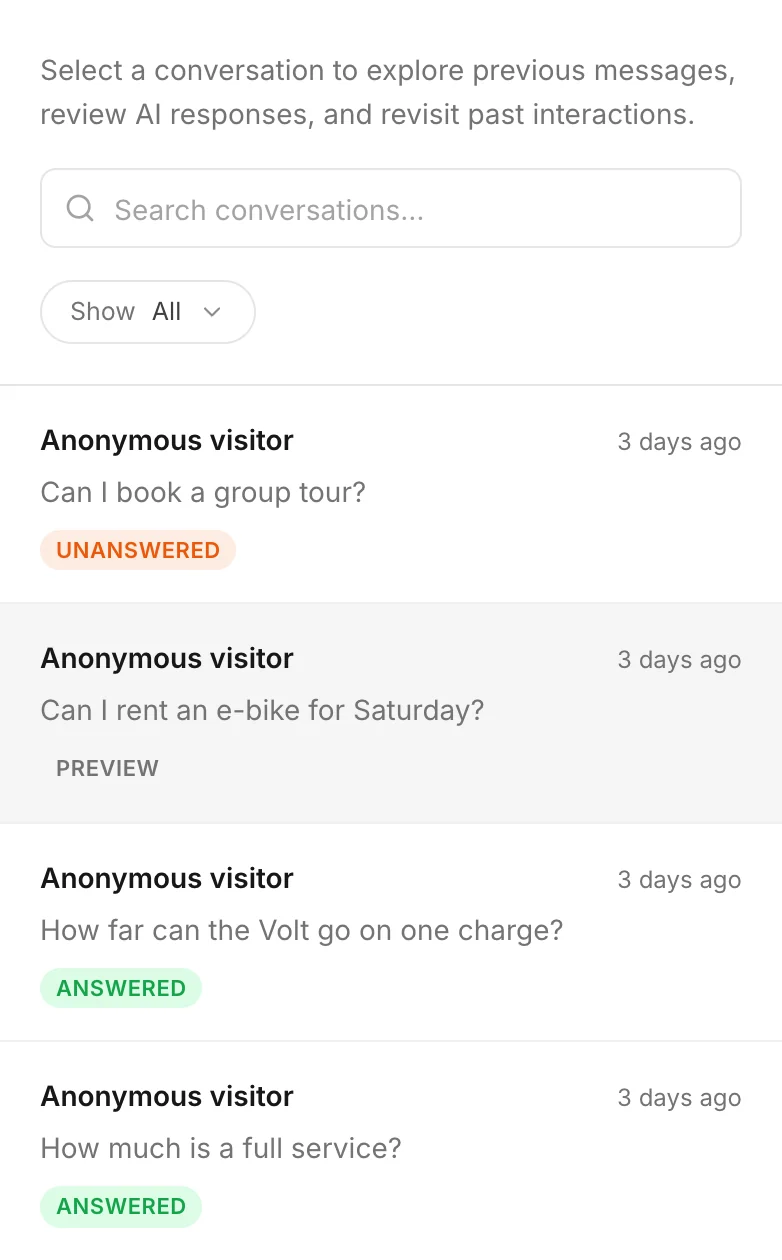
Your own chats from the widget preview's Test mode appear here too, marked Preview, so you can read them back. See Preview and test.
Note
The list does not update while you are looking at it. New conversations appear when you come back to the page or to the browser tab after a minute or so, or when you reload the page.
The screen at a glance
- The list on the left shows your conversations with the most recent activity at the top. Each row shows who it was, the visitor's first message, how long ago it happened and one or two labels. Scroll down and older conversations load by themselves.
- The conversation on the right shows the whole chat for the row you picked. See Read a conversation.
- The search box and the filters above the list narrow it down. See Filter and search.
A visitor who left their name in the contact form shows under that name. Everyone else is Anonymous visitor — Konvuno does not ask visitors who they are.
On a phone the list and the conversation take turns: tap a row to open it, and the back arrow to return to the list.
What the labels mean
| Label | What it means |
|---|---|
| Answered | The assistant answered at least one question from your knowledge — your FAQs, your business description or your catalog. |
| Unanswered | The assistant answered nothing: the visitor only said hello, asked something it had nothing to answer from, asked for something off-topic, or only left their details. |
| Handed off | The visitor needed a person, and the assistant offered them your contact options. See Hand-offs. |
| New lead | The visitor left their details, and the lead still has the status New under Leads. |
| Preview | Your own test from the widget preview. It never counts, so it carries no Answered or Unanswered label. |
| Suspicious · excluded | It looked automated or abusive — shown as Automated traffic. The assistant still replied, but it never counts toward your plan. |
Which conversations count toward your plan
Your plan includes a number of conversations each billing period (see pricing). Only conversations where the assistant did real work for you count. A conversation counts once, the first time one of these happens:
- the assistant answers from your FAQs, your catalog or your business description;
- the visitor asks for a person and the assistant hands the conversation over to you;
- the visitor sends the contact form from the chat.
These never count: visitors who only say hello, questions the assistant had nothing to answer from, off-topic requests it declines, conversations flagged as suspicious, and your own test chats. Follow-up questions in the same conversation are free — a long chat costs the same as a short one. Settings → Billing & usage shows how many of them you have used — see Your plan and usage.
To see why a conversation counted, open it: the label at the top names the reason. See Read a conversation.
Counting toward your plan is not the same as being answered. A visitor who asks for a person or only sends the contact form counts, but the conversation stays Unanswered — the assistant did not answer anything.
How long conversations are kept
Konvuno deletes each conversation automatically 90 days after it started (30 days for clinics). Leads are not affected — they stay under Leads until you delete them, but a lead whose conversation was deleted no longer links to it. To keep a conversation, export it first — see Tags and export.
You cannot edit or delete a conversation in the dashboard, so the record always shows exactly what was said. If a visitor asks you to erase what they wrote, send the request through Contact support in the help menu at the top of the dashboard — the Konvuno team can remove one visitor's conversations and details.
Who can do what
Owners and members see the same conversations and can do the same things here: read them, search, add and remove tags, and export a conversation. Exporting all your data at once is for the owner — see Tags and export.
How other businesses use it
- A dental clinic reads the week's conversations every Monday and turns the three most common questions into new FAQs.
- A wedding photographer checks every Handed off conversation the same day, because those are the couples asking for a quote.
- A software company filters out the noise and reads only conversations with a lead before its weekly sales call.
- A restaurant notices that half its visitors ask about parking and adds the answer to its FAQs and to the welcome message.