Business profile
Your business name, industry and contact details, where new-lead emails go, and your logo.
Business profile is the first section of Settings. It holds the basic details of your business — and one setting that matters every day: where Konvuno emails you when a visitor leaves their contact details.
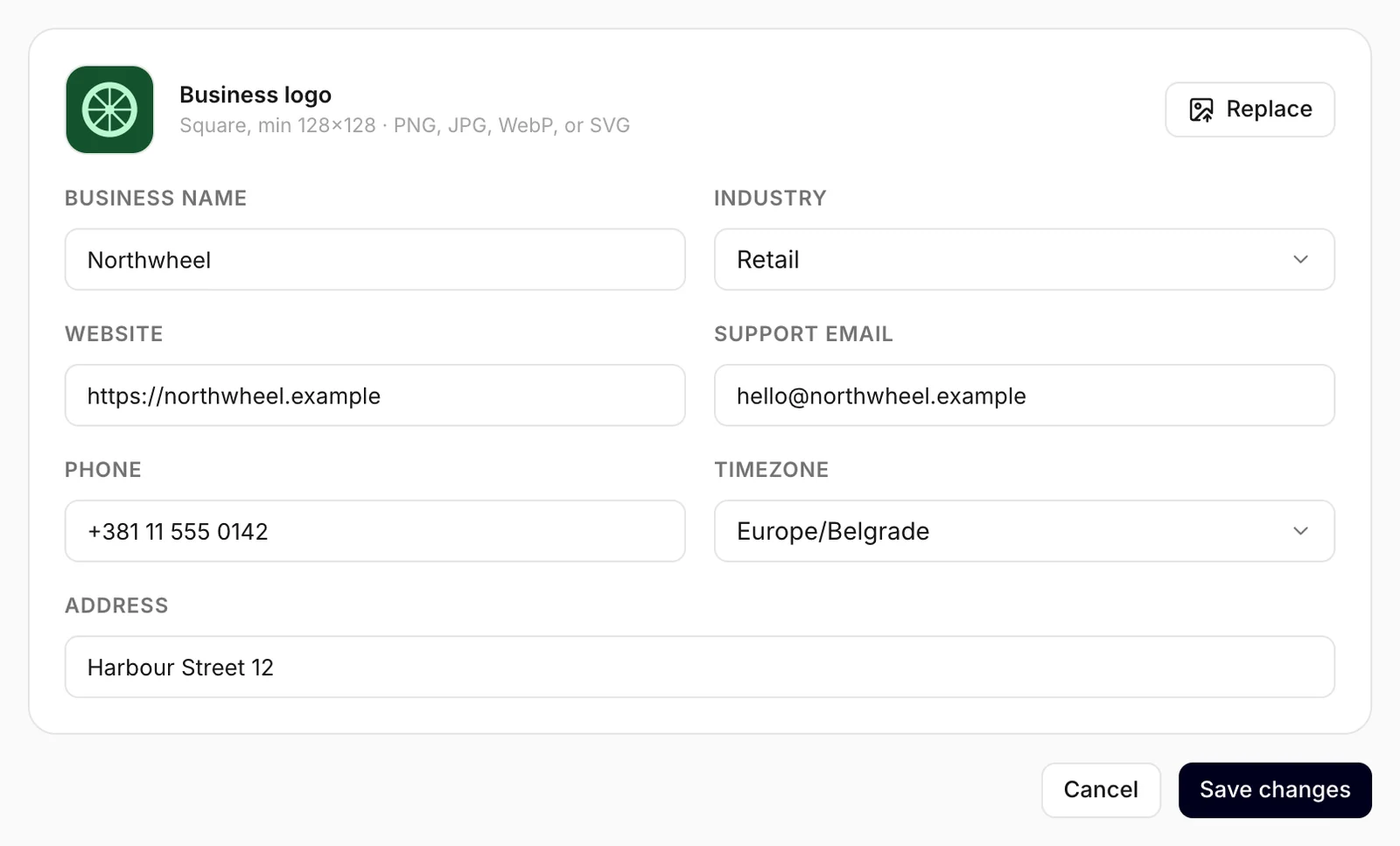
Change what you need, then click Save changes. Cancel puts back what was saved last. Members can edit every field except the business name.
Business name
Business name is what your business is called everywhere in the dashboard: in the business switcher at the top of the sidebar, in the emails that invite your teammates, and in the confirmation you type before deleting the business.
Only an owner can rename the business. For a member the field is greyed out, with the note "Only owners can rename the business".
Note
The chat widget has its own business name, on the Widget screen's Identity tab — that one is what your visitors see and what the assistant calls you. Renaming the business here does not change it: update it there too, and publish. See Identity.
Industry
Industry tells the assistant what kind of business it works for, which helps it keep to your topic. Pick the closest match; choose Other if none fits.
Support email — where new leads are sent
When a visitor sends the widget's contact form, Konvuno emails you so you can reply quickly. The email goes to Support email. If you leave it empty, it goes to the address of the account that registered the business.
- Use a shared inbox, such as
hello@orsales@, if more than one person answers leads. - The email does not contain the visitor's details — it only tells you there is a new request and links to Leads, where you sign in to read it.
- The assistant also gives this address to a visitor who asks how to reach you — see below. If you would rather it stayed private, leave the field empty: lead emails then go to the account that registered the business.
- If a burst of leads arrives within minutes, you may get fewer emails than leads. Every lead is still saved under Leads.
Tip
Not getting lead emails? Check this field for a typo, then your spam folder. Emails come from Konvuno, with the subject "New website contact request".
Website, phone, address and timezone
The assistant reads Phone, Support email, Address and Website, and gives them to a visitor who asks how to reach or find you — "what's your phone number?", "where are you?". Keep them up to date: a changed number reaches the chat as soon as you click Save changes.
Timezone decides where your days start and end on the Overview chart. The assistant does not use it.
Opening hours have no field here. Add them as an FAQ under Knowledge or to your business description. The direct contacts shown under a hand-off are set separately, on the widget's Behavior tab — see How visitors reach you.
Logo
Business logo is your business's logo. It shows next to the business's name at the top of the sidebar, and it is your widget's logo too — on the chat launcher and in the chat header — unless you give the widget a logo of its own.
Click Upload (or Replace if there already is one) and choose an image. The logo is saved as soon as it has uploaded — you see "Logo updated" — so there is no need to click Save changes for it, and Cancel does not undo it.
Use a square image of at least 128 × 128 pixels, in PNG, JPEG, WebP or SVG, under 2 MB.
To show visitors a different image than the dashboard, upload one on the Widget screen: the widget's own logo wins. See Identity.
Dashboard language
The dashboard language is not a business setting, so it is not on this page. It is yours alone: pick it with the globe button next to your name at the bottom of the sidebar. See Change the dashboard language.
How other businesses use it
- A beauty salon sends lead emails to the receptionist's inbox, so bookings are answered while the owner is with clients.
- An architecture studio keeps its dashboard in English for the international team, while the owner uses it in German.
- A franchise renames each location's business to "Brand — City", so everyone knows which business they are looking at in the sidebar.