Your data — retention, export and deletion
How long Konvuno keeps conversations and leads, how to download everything, and how to delete a business or your account for good.
Data & retention answers three questions: how long Konvuno keeps what your visitors wrote, how to take a copy of everything, and how to delete it.
How long Konvuno keeps your data
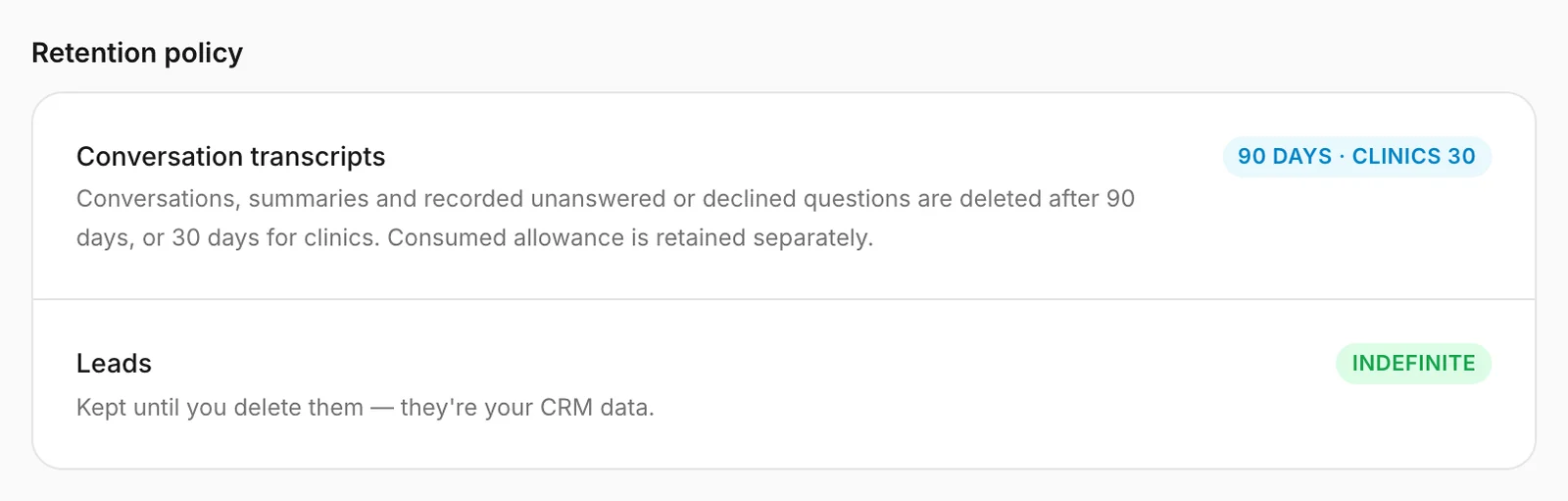
| What | Kept for |
|---|---|
| Conversations, their AI summaries, and the unanswered and declined questions recorded from them | 90 days after the conversation started — 30 days for businesses Konvuno has set up as a clinic |
| Leads | Until you delete them |
| Everything you set up — FAQs, catalog, widget, team | As long as the business exists |
This is the same for every business and there is no setting to change it. Konvuno removes old conversations automatically every night.
What this means in practice:
- After 90 days, a lead stays under Leads but its link to the conversation disappears, because the conversation is gone.
- The Overview can only count conversations from the last 90 days — see Compare with the period before.
- Removing old conversations does not give anything back on your plan: the conversations you used are counted separately for billing.
Tip
Need records for longer — for example for your bookkeeping or a dispute? Export your data regularly (below), or download the Leads list as CSV.
Export your data

Only an owner can export. For a member the button is greyed out.
- Click Export.
- Wait while "Preparing your export…" shows — keep the tab open. A large business can take a minute.
- Your browser saves a file named
konvuno-export-followed by your business's ID, ending in.json.
The file contains everything your business has in Konvuno: the business profile, the team and invitations, FAQs and sources, the catalog and its imports, the widget's settings (every published version) and allowed domains, conversations with every message, leads, hand-offs, unanswered and declined questions, website scans and support requests — plus a list of your uploaded files, such as logos and catalog files.
It does not contain passwords or keys for connected stores, Konvuno's internal security and billing records, or the uploaded files themselves.
Note
JSON is a format for backups and for developers, not for reading. To work with your data in a spreadsheet, use the CSV downloads on the Leads and Overview screens instead — see Export the Overview.
If your data changed while it was being collected — for example, a new conversation came in — the export stops with "Your data changed while it was being exported. Start the export again." Click Export again.
Delete a business
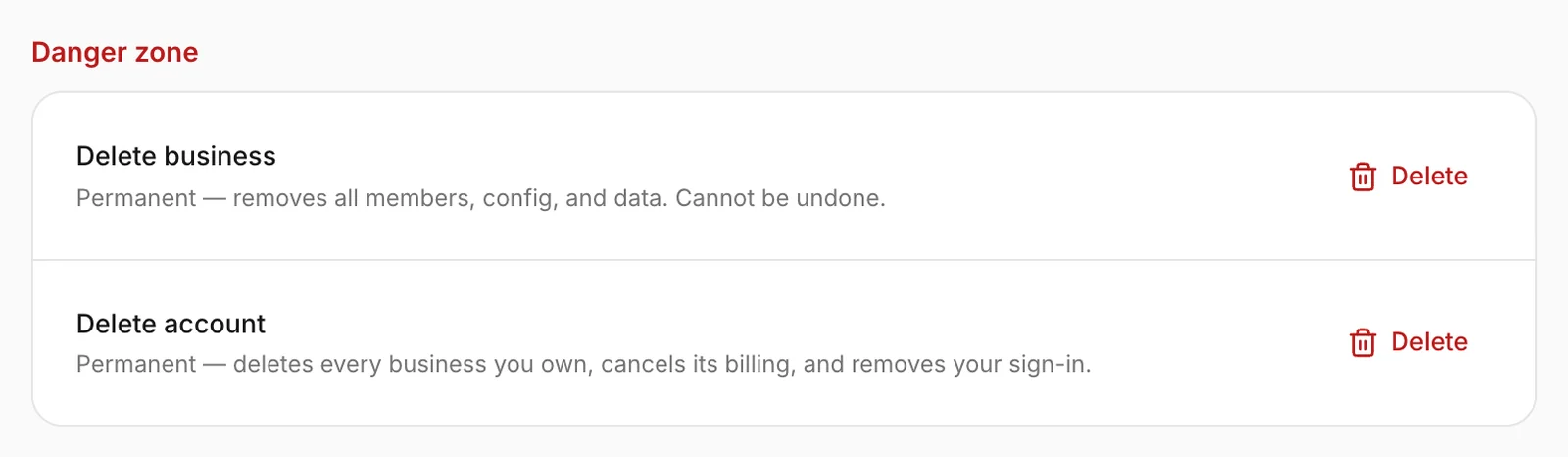
Delete business removes this business and everything in it, for every member, permanently. Only an owner can do it.
- Consider exporting your data first — there is no way back.
- Under Danger zone, click Delete next to Delete business.
- Type the business name exactly as it is shown, then click Delete business.
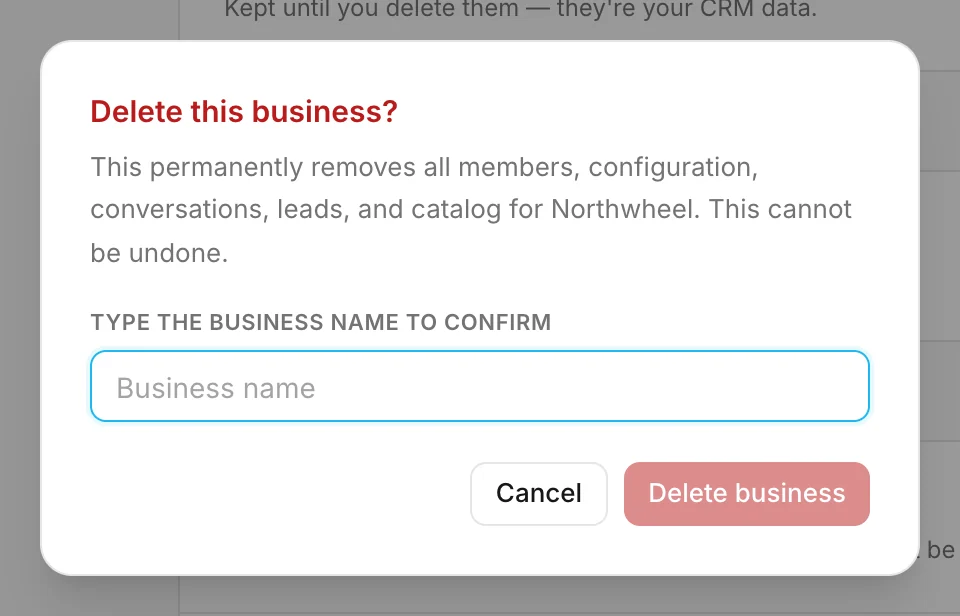
What happens:
- If the business has a subscription, it is cancelled at once — not at the end of the month.
- The widget disappears from your website, and every member loses access.
- Conversations, leads, FAQs, the catalog, the widget and the team are deleted.
- You land on your next business, or on the screen for creating one if this was your last.
If Konvuno says "Deletion is still in progress. New writes are blocked. Click Delete again to continue.", a large business is still being cleaned up: click Delete again to finish. If it says it could not cancel your subscription, nothing was deleted — wait a moment and try again.
Tip
Only want to stop paying for a while? Cancel the subscription instead — everything is kept, and you can come back at any time.
Delete your account
Delete account removes you from Konvuno. Anyone can delete their own account, owner or member.
- Under Danger zone, click Delete next to Delete account.
- Type your email address, then click Delete account.
What happens:
- Every business where you are the only person is deleted, with its subscription — as described above.
- You leave every business that has another owner. It carries on with them, with its widget, data and subscription untouched.
- You leave the businesses where you are a member.
- Your sign-in is removed, and so are the support requests you sent.
Heads up
Konvuno will not delete your account while a business you own has members but no other owner — deleting it would take their business away, and leaving it would leave nobody who can run it. The dashboard then says "One of your businesses has members but no other owner. Make one of them an owner, or remove them, then try again." Make one of them an owner under Members & access, or remove them, and try again.
How other businesses use it
- A café closing for good exports its data for the records, then deletes the business.
- A freelance web designer who set up a client's widget makes the client an owner and deletes their own account; the business stays with the client.
- A clinic tells patients in its privacy policy that chat transcripts are deleted after 30 days.
- A retailer downloads its leads as CSV every quarter, because it keeps customer records longer than 90 days.