Languages — the widget's and the assistant's
Which language the widget's buttons and notices appear in, which language the assistant answers in, and what always stays exactly as you wrote it.
A conversation has two languages, and they are decided separately:
- the widget's own language — its buttons, notices and forms;
- the assistant's language — the answers themselves.
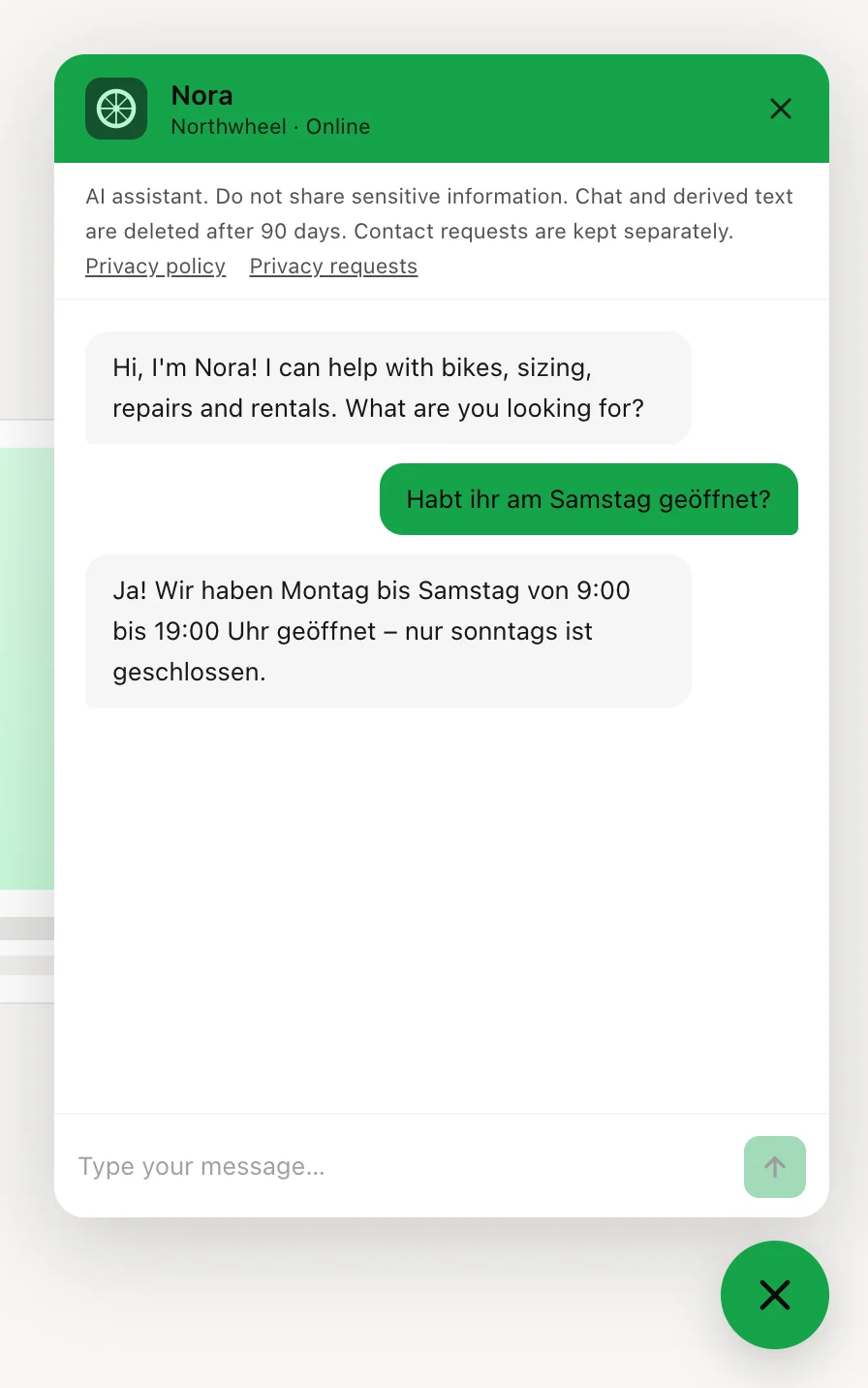
The widget's own language
Everything the widget itself says — the privacy notice, the message box, the contact form, the labels on product cards, the notices when the chat is paused — appears in one of the languages you ticked under Languages. The widget picks it when the chat opens:
- your Initial widget language, if you chose one;
- otherwise the language of the visitor's browser, if it is one you ticked;
- otherwise the first language you ticked.
Prices on product cards follow the same language, so a German visitor sees 1.690 € where an
English one sees €1,690.
The assistant's language
The assistant answers in the language the visitor writes in, whatever the widget's own language is. A tourist who writes in Italian gets an Italian answer, even on a widget whose buttons are in English — and even in a language you did not tick.
Your FAQs do not have to be translated for this: the assistant can often answer an Italian question from an English FAQ. Questions are matched most reliably in the language the FAQ is written in, though, so write your most important FAQs in the language most of your customers use. Test a few questions in your visitors' other languages with the Test mode — see Preview and test.
What stays exactly as you wrote it
Some texts are yours, and the widget never translates them:
- the assistant's name and your business name;
- the launcher text and the welcome message — and so the proactive greeting;
- your suggested starters;
- the consent text on the contact form;
- the names and descriptions on your product cards.
Write them in the language most of your visitors use. On a widget with several languages, a short, simple welcome such as "Hi! How can I help?" reads well to almost everyone.
Note
One reply does not follow the visitor: the short standard answer the assistant gives to a visitor who keeps asking about unrelated things (see How answers look). It is in the widget's own language — the one its buttons are in — rather than the language the visitor writes in.
How other businesses use it
- A hotel near the border ticks German, Croatian and English, keeps Auto-detect from browser, and writes its FAQs in English — guests still get answers in their own language.
- A local accountant ticks only its own language: the whole widget speaks it, and the rare foreign client still gets answers in their language.
- An international online shop writes its welcome message in English and adds starters in the two languages its customers use most.