Run several businesses
Add a second business to your account, switch between them, and know what each business keeps to itself — including its own subscription.
One Konvuno sign-in can run as many businesses as you need: two shops, a shop and a café, or the businesses of several clients. Each business is a separate workspace with its own assistant and its own widget.
What each business keeps to itself
Nothing is shared between two businesses. Each one has its own:
- FAQs, business description and website scans under Knowledge;
- products and services under Catalog;
- widget, snippet and allowed domains under Widget;
- conversations, leads and statistics;
- team — the people invited to one business do not see your others;
- plan and subscription.
That makes a second business the right choice when it has its own website and its own customers. If you only want the assistant on a second page of the same website, you do not need one.
Switch between businesses
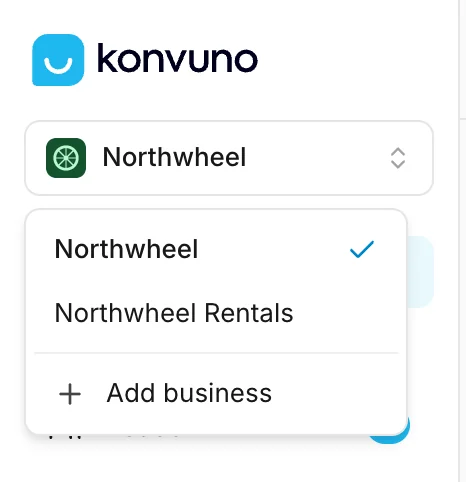
The name of the business you are working in sits at the top of the sidebar, with its logo if you uploaded one under Business profile. Click it to see every business you belong to, with a check mark next to the current one, and pick another.
The screen you are on stays open and reloads with the other business's data — switching on Leads shows the other business's leads. Konvuno remembers the business you picked last in this browser and opens it next time.
Tip
Before you change something important — publishing the widget, deleting leads, sending a support request — glance at the name at the top of the sidebar. It is the business the change applies to.
Add a business
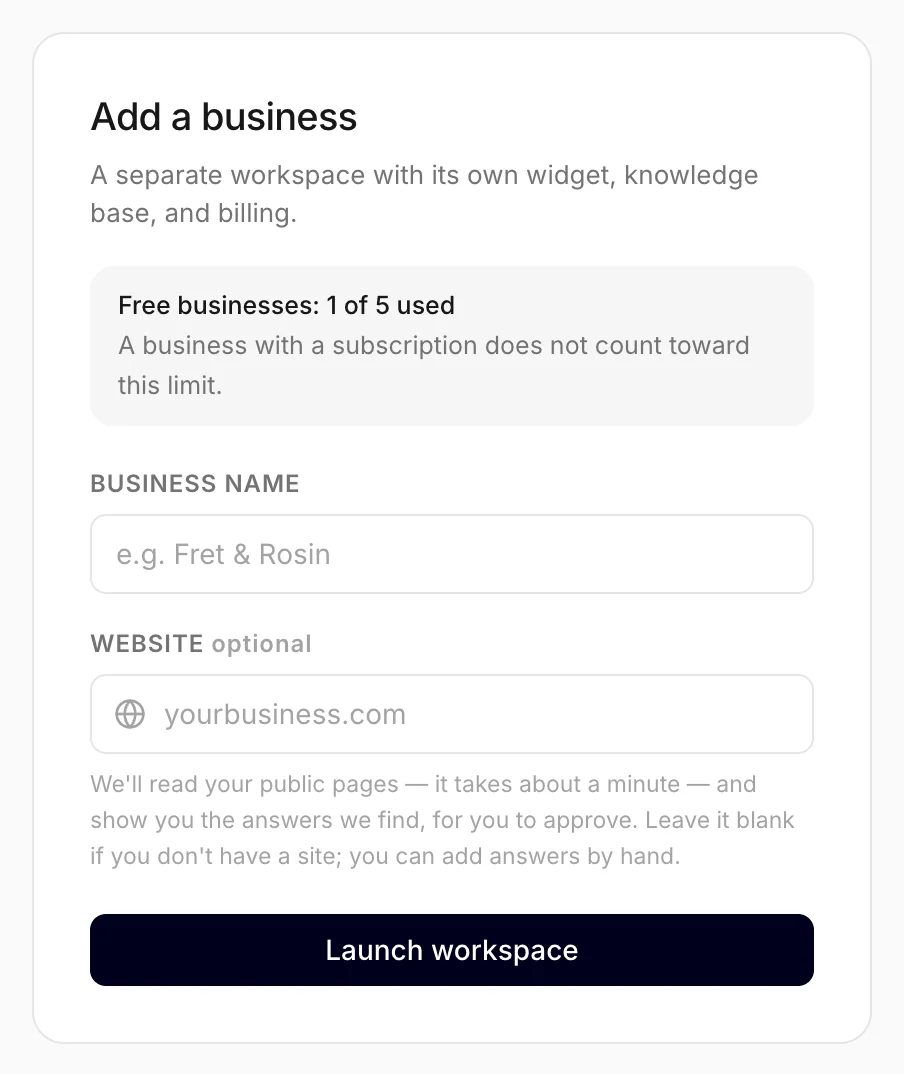
- Click the business name at the top of the sidebar.
- Choose Add business.
- Type the business's name and, if it has one, its website — Konvuno reads it and drafts answers for you to approve, just like the first time. See Create your business.
- Click Launch workspace.
Above the form, the screen shows how many of your free businesses you have used — see below.
You become the owner of the new business, and the dashboard switches to it straight away. With a website you land on its scan, as described in If you entered a website; without one, on its setup checklist. The tour does not open by itself if you have already taken it in another business — the help menu still has it.
Each business has its own subscription
A plan belongs to one business, not to your account. Subscribing one business does not publish the widget of another: each business you want live needs a subscription of its own, and each has its own monthly conversations. The usage box at the bottom of the sidebar always shows the business you are in. See pricing for the plans.
You can create and set up a new business for free, as with your first one. You can have up to five businesses without a subscription; a business with a subscription does not count. The Add business screen shows how many you have used, such as "Free businesses: 3 of 5 used". Once all five are used, it says so before you type anything:
You've reached the limit of businesses without an active subscription. Upgrade one of your existing businesses to add more.
Subscribe one of the businesses you already have, or delete one you no longer need, and you can add the new one.
You can be owner in one and member in another
Your role is set per business. You are the owner of every business you create, and you can at the same time be a member of a business someone else invited you to — then you do the everyday work there, while its owner keeps publishing, billing and the team. See Owners and members and Change someone's role.
How other businesses use it
- A restaurant owner with two locations in different towns runs them as two businesses, because each has its own opening hours, menu and website.
- A marketing agency creates a business for each client it sets Konvuno up for, and invites the client to it.
- A hotel with a spa keeps both in one business, because they share one website and one reception.